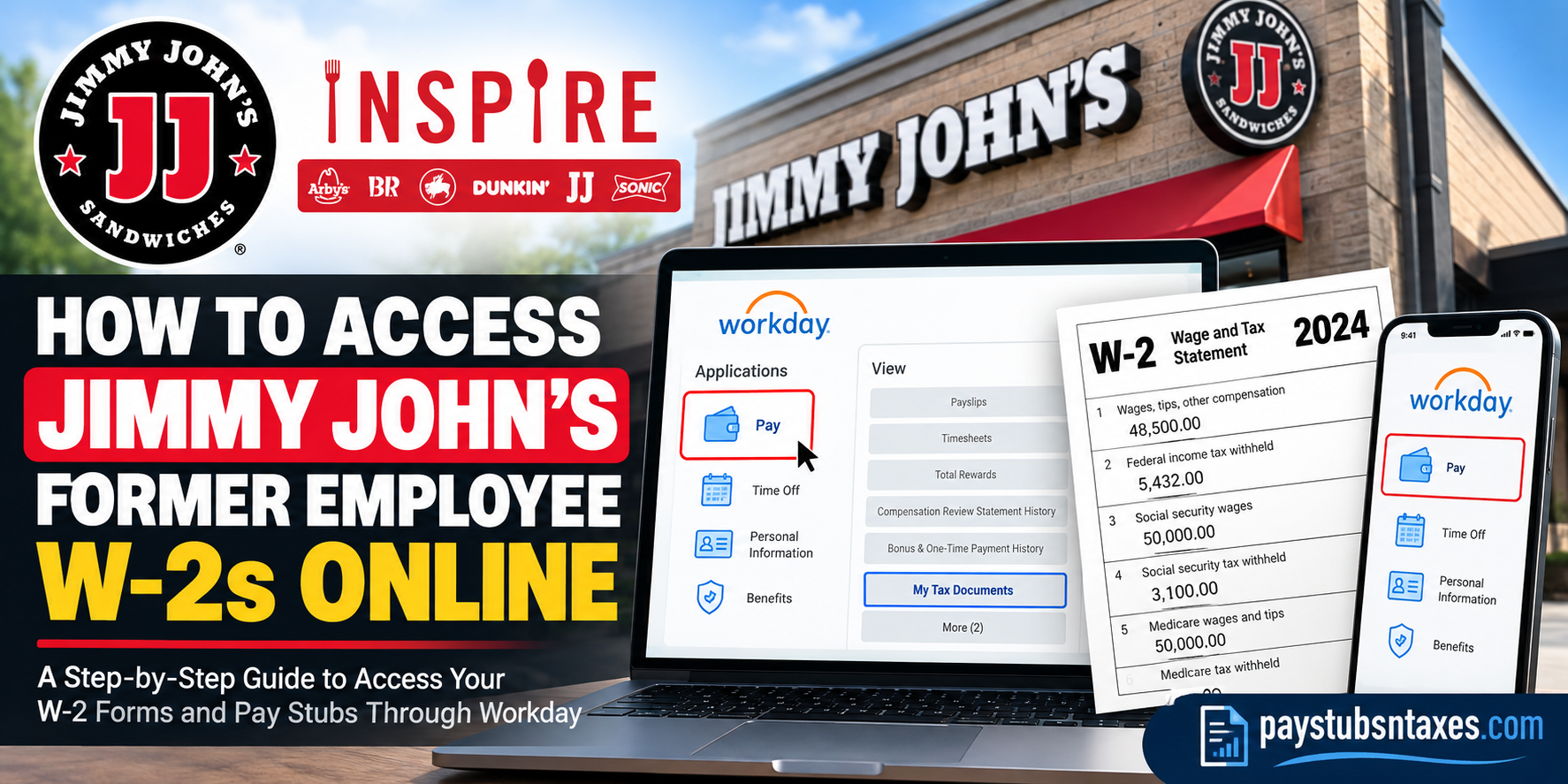
If you previously worked at a Jimmy John’s restaurant operated by Inspire Brands, you may be able to retrieve your W-2 forms and past pay stubs online through Workday. Former employees should use the designated username-and-password login option rather than the Okta single sign-on route normally used by certain active employees and contractors. This guide explains who can use the Inspire Brands Workday portal, how to find a Jimmy John’s former employee W-2, how to download previous pay stubs, and where to seek assistance when an account cannot be accessed.
A Brief Overview of Jimmy John’s and Inspire Brands
Jimmy John’s is an American sandwich chain headquartered in Champaign, Illinois. Jimmy John Liautaud founded the business in 1983 after deciding to pursue entrepreneurship rather than join the military. Although his original plan was to open a hot dog business, the cost of equipment prompted him to change course and sell sandwiches instead.
The brand subsequently grew into a multinational chain with more than 2,800 restaurants. Roark Capital Group acquired a majority interest in Jimmy John’s in 2016, and Inspire Brands completed its acquisition of the company in 2019.
Today, Jimmy John’s belongs to the Inspire Brands family, alongside Arby’s, Baskin-Robbins, Buffalo Wild Wings, Dunkin’, and SONIC. Inspire’s portfolio encompasses more than 33,400 restaurants across approximately 55 global markets.
Important: Confirm Who Employed You
The instructions in this article are intended for former Jimmy John’s employees whose payroll was administered through Inspire Brands and Workday.
Many Jimmy John’s restaurants are independently owned and operated by franchisees. If an independent franchise company—not Inspire Brands—appears as the employer on your pay statement, tax form, or employment records, that franchisee is responsible for providing your W-2.
In that situation, contact the restaurant’s owner, manager, human resources representative, or payroll department. The Inspire Brands Workday portal may not contain your records, even though you worked at a restaurant displaying the Jimmy John’s name.
How to Log In to Jimmy John’s Workday as a Former Employee
Former employees should follow these steps:
- Visit the Inspire Brands Workday login page.
- Select Username and Password Access Only.
- Enter your Workday username and password.
- Complete any identity-verification step displayed on the screen.
- After reaching the Workday dashboard, open the Pay application.
The username-and-password option is intended for active restaurant employees, pre-hires, and former employees. It should also be used by a former employee who previously signed in through Okta while actively employed.
The second option, Okta SSO User Access Only, is designed for active above-store leaders, Support Center employees, and contractors. Once your employment has ended, the former-employee username-and-password route is generally the appropriate choice.
How to Access a Jimmy John’s Former Employee W-2
After signing in to Workday, complete the following steps:
- Open the Pay application from the main dashboard.
- Locate the View section.
- Select More if the complete list of pay-related options is not visible.
- Choose My Tax Documents.
- Find the appropriate tax year.
- Select View/Print beside the W-2 you need.
- Open the generated document, then download, save, or print it.
The My Tax Documents page may also display corrected tax forms, such as a W-2C. If both an original W-2 and one or more corrected forms are available, retain every applicable document. A W-2C changes information reported on the original form; it does not necessarily replace the original document in its entirety.
Always sign out after downloading tax records, particularly when using a shared or public device. A tax form contains highly sensitive information, and leaving an account open can expose both personal and financial data.
When Will a Former Employee W-2 Be Available?
A W-2 for the preceding tax year is ordinarily furnished by January 31. Depending on your delivery preferences and the information recorded in Workday, the form may be available electronically, mailed to your address, or provided through both methods.
Before leaving a job—or while former-employee access remains available—it is prudent to confirm that Workday contains your current:
- Mailing address
- Personal email address
- Telephone number
- Tax-document delivery preference
Do not leave this until the eleventh hour. If your address is outdated, a mailed W-2 may be delayed or returned, while an obsolete email address can complicate password recovery.
How Long Can a Former Employee Access Workday?
Workday access may continue for a limited period following termination, but the precise duration can depend on Inspire Brands’ access and retention policies. Former employees should therefore download important payroll and tax records as soon as possible.
Consider retaining copies of:
- Every available W-2 and W-2C
- Final and recent pay stubs
- Year-to-date earnings records
- Benefit or deduction statements
- Any separation-related documents you may need later
Saving these records promptly can spare you a considerable administrative headache if your login is subsequently disabled.
What to Do If You Cannot Log In
If your password is no longer working, select Forgot Password? on the username-and-password login screen. Workday should send a temporary password or recovery instructions to the personal email address associated with your account.
Check the following before requesting additional help:
- Confirm that you selected Username and Password Access Only.
- Make sure you are not attempting to use the Okta option as a former employee.
- Check your spam, junk, and promotions folders.
- Allow a few minutes for the temporary password email to arrive.
- Verify that you are entering the same personal email address associated with your Workday profile.
- Type the password manually if copied text introduces an unwanted space.
If the recovery email does not arrive, contact the Inspire Brands Service Center at 1-800-499-9586 and select Option 2.
For technical access assistance, you may also contact the Inspire Brands Service Desk at 1-800-272-9457 or email eushelp@inspirebrands.com.
For other Workday questions, log a case through Workday Help or call the People Link at 1-800-499-9586 and select Option 3. People Link is available Monday through Friday, from 7:00 a.m. to 7:00 p.m. Eastern Time.
What If Former-Employee Access Has Expired?
If Workday no longer recognizes your account, resetting the password repeatedly is unlikely to move the needle. Instead, contact the Inspire Brands Service Center or People Link and explain that you are a former Jimmy John’s employee seeking a W-2 or historical pay statement.
Be prepared to provide information that can help verify your identity, such as:
- Your full legal name
- Former employee identification number, if known
- Jimmy John’s restaurant location
- Approximate employment dates
- Last four digits of your Social Security number, if requested through an authorized channel
- Current mailing address and personal email address
- Tax year or pay period required
Never send a full Social Security number, password, or complete tax document through ordinary email unless an authorized representative has provided a secure method for doing so.
Final Takeaway
Former employees of Inspire-operated Jimmy John’s restaurants may be able to obtain W-2 forms and past pay stubs through the Inspire Brands Workday portal. Select the username-and-password access option, navigate to Pay → More → My Tax Documents, and use View/Print to save the required W-2.
Because former-employee access may not remain available indefinitely, download essential records while the door is still open. If your login has stopped working, use the password-recovery option or contact the appropriate Inspire Brands support team. Employees of independently owned franchises should instead approach the franchise company that issued their wages.
Frequently Asked Questions
1. How do former Jimmy John’s employees access their W-2s online?
Visit the Inspire Brands Workday portal, select Username and Password Access Only, and sign in. From the dashboard, navigate to Pay → More → My Tax Documents, locate the required W-2, and select View/Print.
2. What is the Jimmy John’s Workday login page?
Former employees whose payroll was managed by Inspire Brands can use the Inspire Brands Workday login page.
3. Which Workday login option should a former employee choose?
Select Username and Password Access Only. This option is intended for active restaurant employees, pre-hires, and former employees. Do not use the Okta SSO option after separation unless Inspire Brands specifically instructs you to do so.
4. Can every former Jimmy John’s employee use Inspire Brands Workday?
No. The portal applies to employees whose payroll was administered through Inspire Brands. If you worked for an independently owned Jimmy John’s franchise, contact the franchise owner or its payroll department.
5. Where are W-2 forms located in Workday?
Open the Pay application, find the View section, select More, and choose My Tax Documents. Your available W-2 and W-2C forms should appear on that page.
6. When will my Jimmy John’s W-2 be available?
W-2 forms for the previous tax year are ordinarily furnished by January 31. Depending on your delivery preferences, your form may become available electronically in Workday, arrive by mail, or be provided through both methods.
7. How do I download or print my W-2 from Workday?
On the My Tax Documents page, find the applicable tax year and select View/Print. Once Workday generates the document, save the PDF to a secure device or print a copy.
8. What should I do if I forgot my Workday password?
Select Forgot Password? on the Workday login screen. Recovery instructions or a temporary password should be sent to the personal email address associated with your account.
9. What if the Workday password-reset email does not arrive?
Check your spam and junk folders and confirm that you used the correct personal email address. If the message still does not arrive, call the Inspire Brands Service Center at 1-800-499-9586, Option 2.
10. How long can a former Jimmy John’s employee access Workday?
Access may remain available for a limited period after employment ends, but the precise duration can vary. Download W-2s, pay stubs, and other important employment records as soon as possible.
11. Can former Jimmy John’s employees view old pay stubs online?
Yes, provided their Workday access and payroll history remain available. Sign in, open Pay, locate the payslip section, and select the relevant pay date to view or download the statement.
12. Can I download Jimmy John’s pay stubs through the Workday mobile app?
Yes. Open Pay, select a payslip from Pay History, tap Get PDF, and wait for Workday to generate the file. Select Open PDF and use your device’s saving controls to retain a copy.
13. What is the Workday organization code for Inspire Brands?
Enter inspirebrands if the Workday mobile app asks for an organization code.
14. What should I do if my former-employee Workday access has expired?
Contact Inspire Brands People Link at 1-800-499-9586, Option 3. Explain that you are a former Jimmy John’s employee and specify the W-2 tax year or pay statement you need.
15. Who should independently employed Jimmy John’s franchise workers contact?
Contact the independent franchise company that issued your wages. The restaurant owner, manager, human resources representative, or payroll administrator should explain how to obtain your W-2 and past pay stubs.
