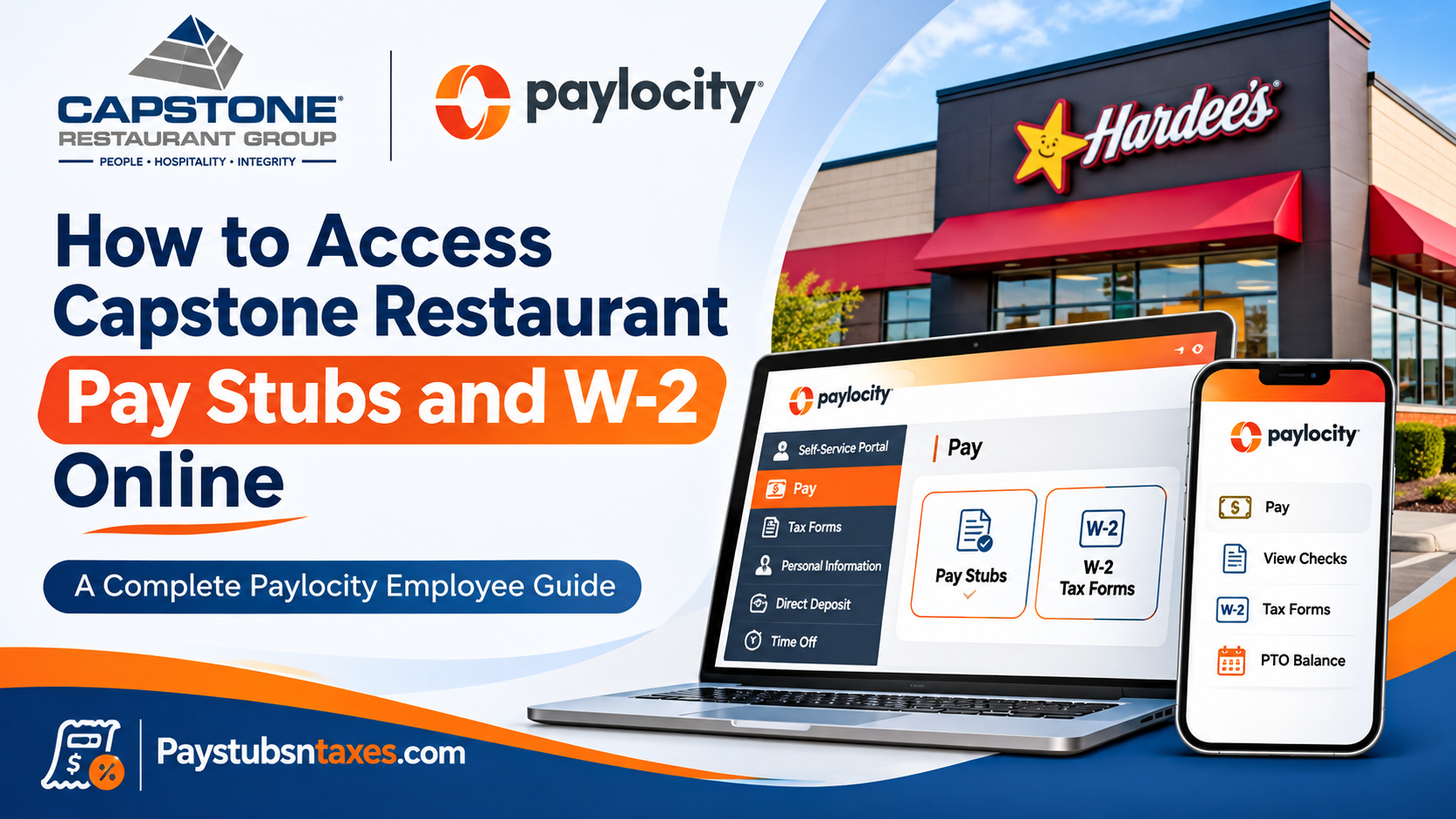
Current and former Capstone Restaurant Group employees can access pay stubs and W-2 forms online through Paylocity. Sign in with your Company ID, username, and password. In Employee Self-Service, choose Pay → View Checks to download a pay stub or Pay → More → Tax Forms to retrieve a W-2. If you have never used the portal, select Register New User to create your account. Capstone Restaurant Group operates and franchises Hardee’s restaurants through several affiliated companies. Your restaurant may trade under the Hardee’s name while your payroll records sit under a legal employer such as North Star Foods, LLC or LBE Holdings, LLC. Identifying that entity before you sign in can save time, particularly if you changed locations or need a form from a previous year.
This comprehensive guide explains how to register for Paylocity, access and download pay stubs, retrieve W-2 forms, identify the correct company ID, and resolve common account-related difficulties.
About Capstone Restaurant Group
Established in 2010, Capstone Restaurant Group is a privately operated restaurant franchise organization specializing in the management and operation of Hardee’s restaurants across the United States.
Beginning with approximately 40 restaurants, the organization expanded through strategic acquisitions and organic growth, subsequently operating approximately 60 Hardee’s locations across eight states.
As an independently owned franchise operator within the CKE Restaurants system, Capstone Restaurant Group emphasizes three fundamental organizational principles: People, Hospitality, and Integrity.
These values underpin the company’s commitment to cultivating a supportive workplace, delivering exceptional customer experiences, and maintaining ethical business practices.
Recognizing that employees are indispensable to operational success, Capstone Restaurant Group provides digital payroll services designed to simplify administrative responsibilities and offer team members greater control over their employment information.
Through its partnership with Paylocity, employees can conveniently manage payroll records without relying on restaurant managers or requesting printed statements from the payroll department.
Find your Capstone Paylocity Company ID
Use the Company ID that corresponds to the employer that issued the records you need. If you are unsure which entity employed you, check an earlier pay stub, W-2, or onboarding document for the legal employer name. Capstone Payroll can confirm which ID to use if you worked for more than one affiliate.
| Paylocity Company ID | Capstone-affiliated employer |
| 11257 | LBE Restaurant Development, LLC |
| 11258 | Summit Restaurant Development, LLC |
| 12496 | Pioneer Restaurants, LLC |
| 126127 | LBE Holdings, LLC |
| 195761 | Ozark Stars, LLC |
| N5525 | Empire Restaurants, LLC |
| N5526 | Bighorn Restaurants, LLC |
| N5527 | Heartland Restaurants, LLC |
| N5528 | Summit Restaurant Holdings, LLC |
| N9116 | North Star Foods, LLC |
| N9117 | River Valley Restaurants, LLC |
| N9118 | Tristar Ventures, LLC |
| N9198 | Atlantic Star Foods, LLC |
How to register for Capstone Paylocity Self-Service
Capstone team members set up their own Paylocity accounts. If you have signed in before, use your existing credentials. If you have forgotten them, start with Forgot Password or contact Payroll for help recovering your username or updating the email address on file.
- Open the Paylocity login page and select Register New User.
- Enter your Company ID, last name, Social Security number, and ZIP code. Your details must match Capstone’s payroll records exactly. If you recently moved, Payroll may still have your previous ZIP code.
- Create a username between 3 and 20 characters. Capstone’s instructions specify a password between 7 and 20 characters, with uppercase and lowercase letters, a number, and a symbol. Follow the requirements displayed on the registration screen.
- Complete the security setup. Answers to security questions are case-sensitive. Select a security image and enter a security phrase if prompted.
- Return to the sign-in page and enter your Company ID, username, and password.
Paylocity allows one account per Social Security number for each Company ID. If the portal reports that you already have an account, recover that login before trying to register again.
How to view, download, and print Capstone pay stubs
If you are paid by direct deposit, your Capstone pay stubs are paperless. The Pay tile shows your most recent statements. Open the relevant pay date to review gross earnings, taxes, deductions, and net pay for that period.
On a desktop browser
- Sign in to Paylocity and open Self-Service Portal. If another workspace appears, open the menu in the upper-left corner and select Self-Service Portal.
- In the Pay tile, click the date of a recent statement to open it, or choose View Checks to find a specific pay date.
- Select the checkbox next to the check you want.
- Click Download Paystub in the upper-right corner, then save or print the PDF.
To hide take-home pay on the Self-Service home screen, select the arrow beside Net Amount.
In the Paylocity mobile app
Install Paylocity from the Apple App Store or Google Play and sign in with your existing credentials. Tap Pay to see your latest statement, then tap History to browse earlier pay stubs. Check the app store listing for current device requirements.
How to get your Capstone W-2 and 1095-C online
Capstone’s published schedule makes W-2s available electronically through Paylocity by January 31 each year. The company directs team members to retrieve the form from the portal. If you need a paper copy or help with delivery, contact Capstone Payroll.
On a desktop browser
- Open Employee Self-Service → Pay → More → Tax Forms. If your layout displays an Employees menu, try Employees → Employee Payroll File → Pay → Tax Forms.
- Select the tax year you need and open Form W-2. For example, select 2025 to retrieve the W-2 for wages paid in 2025.
- Follow the prompts to view or download the PDF. If Paylocity offers password protection, you can enable it before saving the file.
- For health coverage documentation, select Form 1095-C if it is available for that year.
In the Paylocity mobile app
Open the app menu, choose Pay, then tap Tax Forms and select the relevant year. If you want to send yourself a copy, use the envelope icon and follow the prompts to password-protect the PDF. This feature sends a copy at your request. Capstone makes the original available in the portal.
Where to find premium overtime on the 2025 W-2
Capstone identifies Box 14 on its 2025 W-2 as the location of its premium overtime entry associated with the One Big Beautiful Bill. If the entry is missing or the amount differs from what you expected, ask Capstone Payroll to review your form.
How former Capstone employees can access Paylocity
Former team members retain access to the portal. If you already registered, sign in using your existing credentials and the Company ID associated with the records you need. If you never set up an account, select Register New User and enter the details Capstone Payroll has on file.
If a password reset goes to an email address you can no longer open, or the portal rejects your ZIP code, contact Payroll so they can check your account details. Once you regain access, select the appropriate tax year or pay date and download the documents you need.
How to contact Capstone Payroll for login help
For a lockout, an unknown Company ID, or a missing pay stub or W-2, email payroll@capstonerestaurants.com or call (303) 530-2900. Describe the issue and include the pay date or tax year if you are looking for a particular record.
For account verification, Capstone asks for your legal first and last name, date of birth, current email address, and the last four digits of your Social Security number. You can call Payroll first to confirm how to share those details. Keep your full Social Security number and Paylocity password out of email.
Conclusion
Accessing Capstone Restaurant Group pay stubs and W-2 forms online is a straightforward process when employees understand how to navigate the Paylocity Self-Service Portal.
By registering an individual account, entering the correct company identification number, and following the appropriate payroll navigation steps, current and former team members can securely retrieve their earnings statements, annual tax documents, and other employment-related records.
The platform also provides convenient tools for managing personal information, reviewing payroll deductions, updating direct deposit details, and accessing available Form 1095-C documents.
Most importantly, Capstone Restaurant Group’s electronic W-2 distribution policy makes it essential for employees to maintain an active and accessible Paylocity account, particularly during tax season.
Whether you need your most recent pay stub for income verification or a previous year’s W-2 for tax filing, the official Paylocity employee portal at https://access.paylocity.com/ remains the primary destination for accessing Capstone Restaurant Group payroll documents.
For unresolved registration issues, forgotten credentials, or missing documents, contact payroll@capstonerestaurants.com or call (303) 530-2900.
Frequently asked questions
1. Where do Capstone Restaurant Group employees log in to Paylocity?
Go to the Paylocity login page and enter your Company ID, username, and password. Once signed in, open Employee Self-Service to find your pay statements and tax forms.
2. What is the Paylocity Company ID for Capstone Restaurant Group?
The ID depends on the Capstone affiliate that employed you. For example, 11257 belongs to LBE Restaurant Development, LLC, while N9116 belongs to North Star Foods, LLC. Check the legal employer name on an old pay stub or W-2, then match it to the Company ID table.
3. How do I register for Capstone Paylocity Self-Service?
Select Register New User on the Paylocity login page. Enter your Company ID, last name, Social Security number, and ZIP code exactly as they appear in payroll records. Then create your login credentials and complete the security prompts.
4. Why is Paylocity rejecting my ZIP code during registration?
Paylocity checks your ZIP code against Capstone’s payroll records. If you recently moved, your previous ZIP code may still be on file. Contact Capstone Payroll if you are unsure which ZIP code to enter.
5. How do I download and print a Capstone pay stub?
On a desktop browser, open Self-Service Portal → Pay → View Checks. Select the checkbox beside the correct pay date, then click Download Paystub. Open the PDF to save or print it.
6. Can I see Capstone pay stubs on my phone?
Yes. Sign in to the Paylocity mobile app and tap Pay to view your latest pay stub. Tap History to find earlier statements.
7. Are Capstone direct-deposit pay stubs paperless?
Yes. If you receive your pay by direct deposit, your pay stubs are available electronically through Paylocity. Open the Pay tile and select the statement date to view the details.
8. How do I download my Capstone W-2 on a computer?
Go to Employee Self-Service → Pay → More → Tax Forms, select the tax year, and open Form W-2. If your layout has an Employees menu, try Employees → Employee Payroll File → Pay → Tax Forms.
9. Can I get my Capstone W-2 in the Paylocity app?
Yes. Open the app menu, choose Pay, tap Tax Forms, and select the year. Use the envelope icon if you want to send yourself a copy, then follow the prompts to password-protect the PDF.
10. When are Capstone Restaurant Group W-2s available?
Capstone posts W-2s electronically in Paylocity by January 31 each year. Select the year in which you earned the wages. For example, choose 2025 for wages paid in 2025.
11. Does Capstone mail or email W-2 forms?
Capstone’s standard process is to make W-2s available through Paylocity without mailing or emailing them. If you need a paper copy or cannot retrieve your form online, contact Capstone Payroll.
12. Can former Capstone employees still access their W-2s and pay stubs?
Yes. Former employees can sign in with their existing Paylocity credentials and the Company ID associated with the records they need. If you never registered, select Register New User and enter the details Capstone Payroll has on file.
13. How do I recover my Capstone Paylocity account?
Select Forgot Password on the login page. If you forgot your username, are locked out, or can no longer access the email address on file, contact Capstone Payroll at payroll@capstonerestaurants.com or (303) 530-2900.
14. Where can I find my Capstone Form 1095-C?
Open Pay → Tax Forms in Paylocity, select the relevant year, and choose Form 1095-C if it is available for that year.
15. Where does premium overtime appear on the 2025 Capstone W-2?
Capstone lists its premium overtime entry associated with the One Big Beautiful Bill in Box 14 of the 2025 W-2. If the entry is missing or the amount looks incorrect, ask Capstone Payroll to review your form.
