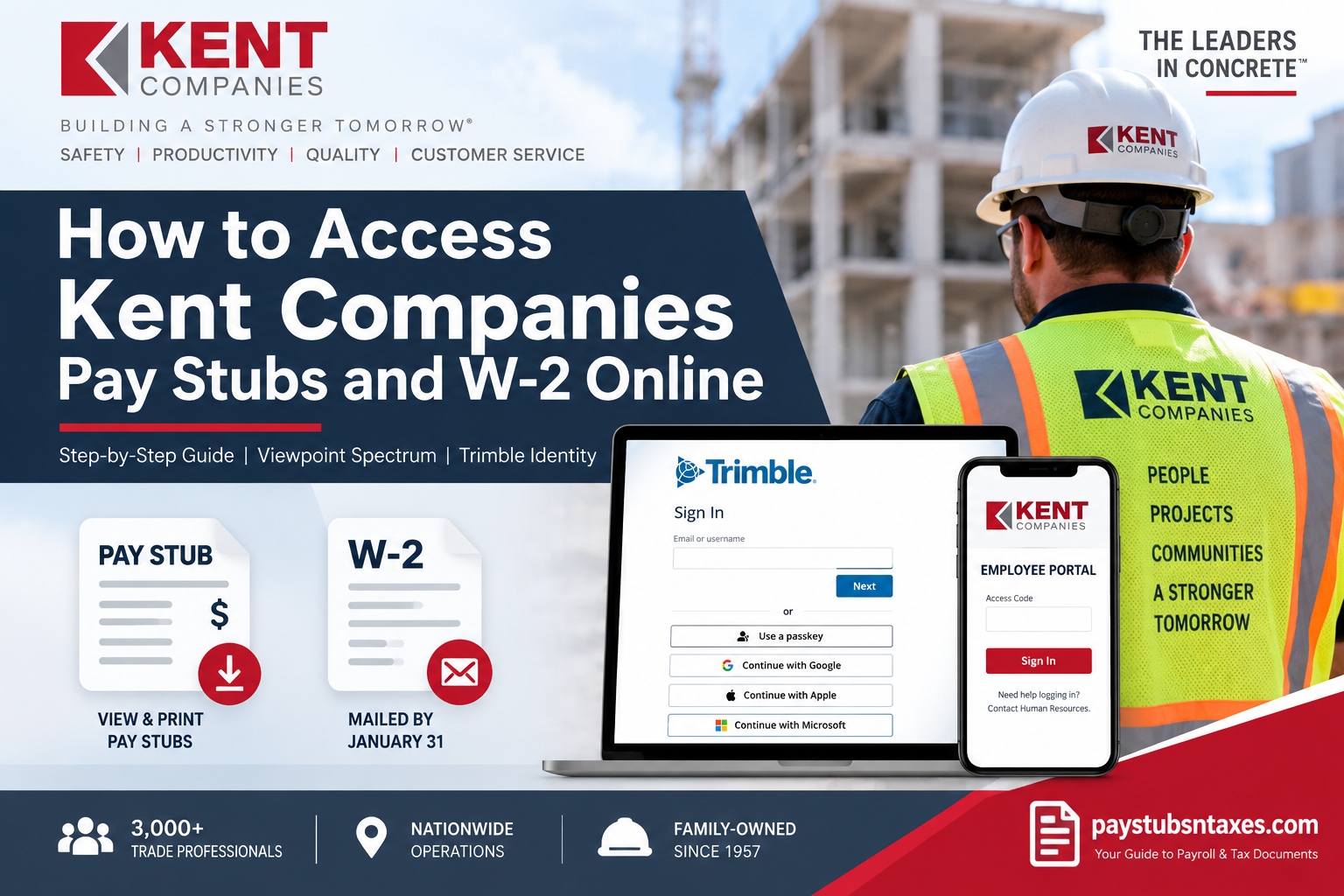
Kent Companies employees can access payroll information and other employment resources through the company’s secure employee systems. Whether you need to review a recent pay statement, confirm your deductions, or prepare your records for tax season, knowing where to go can spare you unnecessary delays and frustration. Pay stubs are available through the Viewpoint Spectrum portal, which uses Trimble Identity for secure authentication. W-2 forms, meanwhile, are postmarked no later than January 31 of the following year. Additional employee resources are available at employees.kentcompanies.com.
About Kent Companies
Kent Companies is a third-generation, family-owned specialty trade contractor that performs work nationwide with support from offices in Michigan, Texas, Ohio, and the Carolinas. Employing more than 3,000 trade professionals, the company approaches every project through its Four Hallmarks: Safety, Productivity, Quality, and Customer Service.
Recognized as The Leaders in Concrete™, Kent Companies is ranked as the fifth-largest concrete contractor in the United States by Engineering News-Record (ENR). Its family of brands includes Kent Concrete, Kent Underlayments, Kent Facilities, Kent Foundation Solutions, and Foundation Rescue Supply.
The company also offers employees a highly competitive compensation and benefits package. Although benefits vary by location and each employee receives a customized package upon hire, typical offerings may include:
- Weekly pay
- Paid time off
- Medical, dental, and vision coverage
- Supplemental insurance options
- Retirement plans with discretionary employer matching
- Paid company holidays
- Scholarship opportunities for dependents
- Leadership-development opportunities
Kent Companies Employee Payroll Access at a Glance
| Payroll Resource | Access Method |
| Pay Stubs | Viewpoint Spectrum |
| Employee Portal | employees.kentcompanies.com |
| Viewpoint Spectrum Login | kentcompanies.dexterchaney.com |
| Authentication | Trimble Identity |
| W-2 Delivery | Mailed and postmarked no later than January 31 |
| Login Assistance | Contact Human Resources |
How to Access Your Kent Companies Pay Stubs Online
Kent Companies employees may view their pay stubs through the Viewpoint Spectrum employee portal. The process is straightforward, provided that your Trimble Identity account has been created and linked correctly.
Step 1: Visit the Employee Self Service Portal
Open a secure browser and go to the official Kent Companies Employee Self Service portal:
https://kentcompanies.dexterchaney.com
Whenever possible, type the address directly into your browser or use a verified company link. Payroll information is sensitive, so avoiding unfamiliar links is always the wiser course.
Step 2: Sign In With Trimble Identity
The portal uses Trimble Identity to authenticate employees. On the Trimble sign-in page, enter the email address or username associated with your employee account, and then select Next.
Depending on how your Trimble Identity account was configured, you may also be offered one or more alternative sign-in methods, including:
- A passkey
- Apple
- Microsoft
Use only the method connected to your Kent Companies employee profile. Choosing an unrelated personal account may prevent the portal from locating your employment records.
Step 3: Complete the Security Check
Enter your password and complete any additional identity-verification steps that appear. If multifactor authentication is enabled, you may need to approve the login from another device or provide a temporary security code.
The Remember me option can make future access more convenient, but it should be selected only on a private, trusted device. Leaving an active payroll session on a public or shared computer is an open invitation to trouble.
Step 4: Open Your Payroll Information
Once signed in, navigate to the payroll, earnings, or pay-statement section of Viewpoint Spectrum. Menu labels may vary according to your account permissions or the version of the portal currently in use.
Choose the appropriate pay period to review the corresponding pay stub. Before downloading or printing it, verify that the following information is correct:
- Employee name and identifying information
- Pay-period beginning and ending dates
- Regular and overtime hours
- Gross earnings
- Taxes and other deductions
- Benefit contributions
- Net pay
- Year-to-date totals
If anything appears inaccurate, contact Human Resources or the appropriate payroll representative promptly. Payroll discrepancies are generally easier to resolve when they are reported sooner rather than later.
Step 5: Download or Print Your Pay Stub
If the portal provides a download or print option, save the statement as a PDF or print a copy for your records. Store downloaded documents in a secure location rather than on a public computer, shared workstation, or unprotected cloud folder.
Employees who need proof of income for a rental application, loan, mortgage, or another financial purpose should confirm whether the requesting organization requires the most recent pay statement or several consecutive statements.
How to Obtain Your Kent Companies W-2
Kent Companies W-2 forms are postmarked no later than January 31 of the following year. For example, a W-2 covering wages earned during one calendar year should be placed in the mail by January 31 of the next year.
Because a form that is postmarked by January 31 may take several additional days to arrive, employees should allow a reasonable delivery period before assuming that it has gone astray.
The available information confirms online access to pay stubs through Viewpoint Spectrum but does not confirm that W-2 forms can always be downloaded from the portal. If an electronic W-2 option appears in your account, follow the on-screen instructions. Otherwise, expect the form to arrive by mail.
What to Do If Your W-2 Does Not Arrive
If your W-2 has not arrived after a reasonable mailing period, contact Human Resources. Before doing so, check that Kent Companies has your current mailing address, particularly if you moved during the year or after leaving the company.
When requesting assistance, be prepared to provide enough information for Human Resources to verify your identity. However, never send sensitive details—such as your complete Social Security number—through an unsecured email unless specifically directed to use an approved, secure method.
Human Resources can advise you about the status of the original form, address corrections, replacement procedures, and any electronic access that may be available to your account.
Additional Kent Companies Employee Resources
Employees may find payroll guidance, benefit information, company announcements, and other employment resources at: employees.kentcompanies.com
Available content may vary according to employment status, work location, and account permissions. Because benefits are customized by location and role, employees should consult their personal benefits package or contact Human Resources when they need definitive information about coverage or eligibility.
Final Thoughts
The Viewpoint Spectrum portal gives Kent Companies employees a convenient way to keep a finger on the pulse of their payroll records. By signing in with Trimble Identity, employees can review their pay statements, verify earnings and deductions, and retain copies for future reference.
W-2 forms are postmarked by January 31 of the following year. Employees who have not received a form after allowing sufficient time for delivery—or who encounter difficulty accessing the employee portal—should contact Human Resources for assistance.
Frequently Asked Questions
1. How do I access my Kent Companies pay stub online?
Visit the Kent Companies Viewpoint Spectrum portal and sign in with the Trimble Identity connected to your employee account. After logging in, open the payroll, earnings, or pay-statement section and select the pay period you want to review.
2. What is the Kent Companies employee portal URL?
The Kent Companies Employee Self Service portal is located at https://kentcompanies.dexterchaney.com/. Employees should use this portal to access available payroll records. Additional employment resources may be found at employees.kentcompanies.com.
3. What login credentials do I need for the Kent Companies portal?
You need the email address or username associated with your Trimble Identity. Depending on your account configuration, you may also be able to sign in with a passkey or a connected Google, Apple, or Microsoft account.
4. What is Trimble Identity?
Trimble Identity is the authentication system used to secure access to the Viewpoint Spectrum employee portal. It verifies your account before granting access to available payroll and employment information.
5. Can I access the Kent Companies portal from my phone?
You may open the employee portal in a supported mobile browser and sign in with your Trimble Identity. For better security, use a private device and a trusted internet connection, and remember to sign out after reviewing your payroll information.
6. Can I download or print my Kent Companies pay stub?
If download or print controls are available in your Viewpoint Spectrum account, you can save your pay stub as a PDF or print a paper copy. Store the document securely because it may contain confidential payroll and identifying information.
7. How often does Kent Companies pay employees?
Weekly pay is commonly included in Kent Companies’ compensation packages. However, employment terms can vary by location, position, and assignment, so employees should consult their hiring documents or contact Human Resources to confirm their specific payroll schedule.
8. What information appears on a Kent Companies pay stub?
A pay stub will generally show the pay period, gross earnings, regular and overtime hours, taxes, benefit deductions, other withholdings, net pay, and year-to-date totals. Employees should review each statement and report suspected errors promptly.
9. When will Kent Companies mail my W-2?
Kent Companies W-2 forms are postmarked no later than January 31 of the year following the applicable tax year. Postal delivery may take several additional days, so the form may not arrive precisely on January 31.
10. Can I download my Kent Companies W-2 online?
Online pay-stub access is available through Viewpoint Spectrum, but electronic W-2 availability is not guaranteed. Check your portal account for a tax-document option. If no electronic form appears, expect a mailed copy or contact Human Resources for guidance.
11. What should I do if my W-2 has not arrived?
Allow a reasonable period for postal delivery after January 31, confirm that Kent Companies has your correct mailing address, and then contact Human Resources. The HR team can advise you about replacement procedures or any available electronic access.
12. How do I correct an address for W-2 delivery?
Contact Kent Companies Human Resources as soon as possible and request an address update. Employees who moved during or after the tax year should verify that their current mailing address is on file before W-2 forms are prepared and mailed.
13. What should I do if my pay stub contains an error?
Contact Human Resources or the appropriate payroll representative promptly. Identify the affected pay period and explain the suspected discrepancy, such as missing hours, incorrect deductions, or inaccurate personal information. Retain a copy of the statement for reference.
14. Why can’t I log in to the Kent Companies employee portal?
Login problems may arise from an incorrect username, an unlinked sign-in method, an expired password, cached browser data, or an inactive account. Verify your Trimble Identity details, try a private browser window, and contact Human Resources if the problem continues.
15. Who should I contact for Kent Companies payroll or portal help?
Employees who need help accessing the portal, obtaining an access code, correcting payroll information, or locating a W-2 should contact Kent Companies Human Resources. Avoid sending highly sensitive personal information through unsecured email unless HR provides an approved method.
