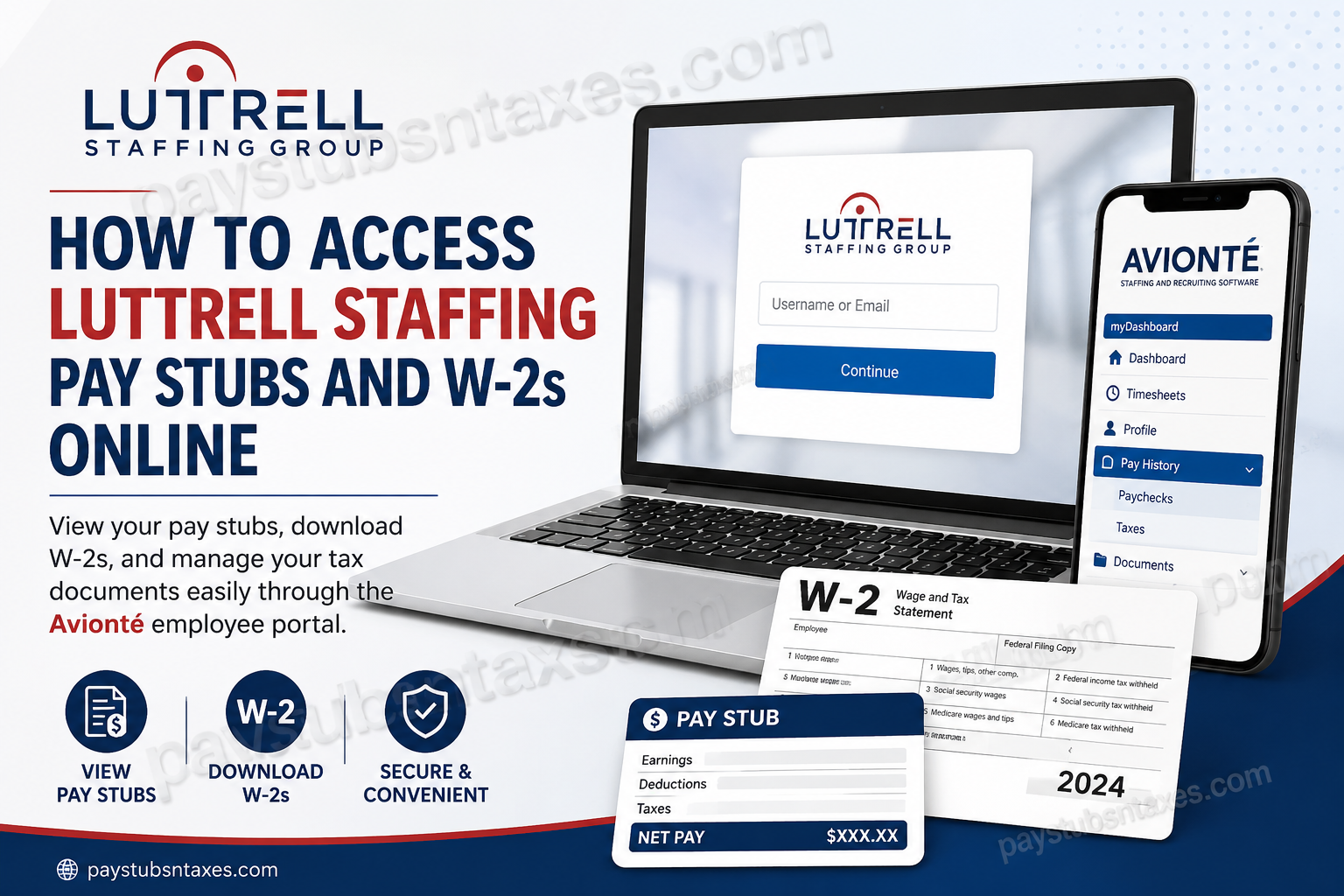
Accessing your Luttrell Staffing pay stubs and W2s online begins with the company’s employee portal. Once you have signed in, select Pay History, then choose Paychecks for pay stubs or Taxes for available W-2 forms. Whether you are checking your latest earnings or preparing for tax season, having these documents at your fingertips can save time and prevent a last-minute scramble.
Founded in 1993 by David and Marty Luttrell, Luttrell Staffing Group formerly operated within the AtWork Personnel network. The company provides temporary, temp-to-hire, and direct hire staffing services, with a particular emphasis on light-industrial and administrative roles. Its commitment to service extends beyond job placement, helping employees stay informed about their pay and employment records.
How to Log In to the Luttrell Staffing Employee Portal
Before getting started, have your username or registered email address ready, along with your password. You will also need access to your email inbox if you must reset your login credentials.
Follow these steps:
- Open the official Luttrell Staffing employee portal.
- Enter your details in the Username or Email field.
- Select Continue to proceed.
- Enter your password and complete the sign-in process.
- If prompted, update your temporary password before continuing to your account.
When your portal account was created, you may have received an email containing a temporary password or account setup instructions. If you cannot locate that message, use the password recovery option.
How to Reset Your Luttrell Staffing Portal Password
A forgotten password need not bring everything to a standstill. To regain access:
- Enter your username or email address and select Continue, if required.
- Look for Forgot password or Forgot your password?
- Enter the email address associated with your employee account.
- Check your inbox for the password reset email.
- Follow the link and the onscreen instructions to create a new password.
- Return to the portal and sign in.
If the message does not arrive, check your spam or junk folder and confirm that you used the email address on file with Luttrell Staffing. Your local consultant can assist if you no longer have access to that address or the reset process does not work.
How to View and Download Luttrell Staffing Pay Stubs
Your pay stubs are available within the portal’s Pay History section. This is where you can review individual payments and retrieve copies for your records.
To access a pay stub:
- Sign in to your Luttrell Staffing employee account.
- Select Pay History from the menu.
- Open the Paychecks tab.
- Locate the payment you want to review.
- Click its check number to open the pay details or printable statement.
- Save the PDF to your device or use the print option to produce a paper copy.
The paycheck list may initially display your ten most recent statements. To find an older payment, use the additional page numbers at the bottom right of the list.
When reviewing a statement, check the pay period, hours, earnings, deductions, and net pay shown. If something appears incorrect, contact your branch with the relevant pay date and check number so that the team can investigate.
How to Download Your Luttrell Staffing W2 Online
Luttrell Staffing W-2 forms are accessed through the same portal used for pay stubs. Once a form has been published, downloading it can be the quickest way to replace a lost copy or obtain one that has not arrived by mail.
To retrieve your W-2:
- Log in to the employee portal.
- Select Pay History.
- Open the Taxes tab.
- Locate the W-2 for the tax year you need.
- Select the corresponding download link or download icon.
- Save the document and print a copy if necessary.
Choose the year in which you earned the wages. For example, a 2026 W-2 reports earnings paid during 2026 and is generally issued in early 2027. Select the 2026 entry only once that form becomes available.
If the year you need is missing, contact your local branch to confirm whether the form has been released and how to obtain it.
When Will Your W-2 Be Available?
Employers generally must furnish W-2 forms by January 31 of the following year, with the deadline moving to the next business day when necessary. For 2026 wages, the deadline is February 1, 2027. A properly addressed form mailed by that date satisfies the furnishing requirement, so postal delivery may occur afterward.
Your form may be mailed to your address on file or provided electronically, depending on the arrangements for your account. Keeping your mailing address and email address current helps prevent avoidable delays.
Accessing Pay and Tax Documents on Your Phone
Mobile access can make it easier to keep track of payroll records between shifts. However, the app you should use—and the documents available within it—depends on Luttrell Staffing’s setup for your account.
Luttrell Staffing promotes the LuttrellWorks app and directs employees to contact their local branch for access. Start with the official LuttrellWorks app page or ask your consultant for the appropriate invitation and setup instructions.
If your branch provides access through an Avionté mobile experience:
- Follow the app invitation or installation instructions supplied by your consultant.
- Complete the account activation or sign-in process.
- Look for the available payroll, pay history, or tax document options.
- Open the statement you need and download it if that option is enabled.
Avionté supports mobile paycheck and year-end tax form access, although availability depends on the staffing agency’s configuration. If you cannot find your documents in the app, use the employee portal or ask your branch for assistance.
What to Do If You Cannot Access Your Documents
Most access problems can be narrowed down by checking your login details, account information, and the document’s availability.
- Your password is not accepted: Use the password recovery option and follow the emailed instructions.
- The reset email is missing: Check your spam folder and verify that you entered the email address registered with Luttrell Staffing.
- An older pay stub is missing: Browse the additional pages under Paychecks.
- Your W-2 is not listed: Confirm that you selected the correct tax year, then ask your branch whether it has been published.
- A PDF will not open: Check whether your browser blocked the document, and try opening the portal in an updated browser.
- Your personal details are incorrect: Contact your consultant to request a correction.
If you have left the company and can no longer sign in, contact the branch that handled your employment to request help obtaining your records.
Conclusion
Accessing Luttrell Staffing pay stubs and W-2s online is relatively simple once you know where to look. Start with the Luttrell Staffing Avionté employee portal, sign in with the email address or username connected to your account, and navigate to Pay History. From there, choose Paychecks for your earnings statements or Taxes for available W-2 forms.
If your password has slipped your mind, use the password-recovery option rather than creating another account. And if your W-2 is missing, your portal access has expired, or your employee information requires correction, contact your local Luttrell Staffing branch for assistance.
By keeping your login credentials, contact information, pay statements, and year-end tax documents organized, you can make payroll administration considerably less cumbersome—and when tax season rolls around, you will be far better prepared.
Frequently Asked Questions
1. Where do I log in to the Luttrell Staffing employee portal?
Visit the Luttrell Staffing employee login page. Enter your username or registered email address, select Continue, and follow the prompts to enter your password and access your account.
2. How do I access my Luttrell Staffing account for the first time?
Check your registered email inbox for your account setup instructions or temporary password. Follow the instructions to sign in and update your password if prompted. If you cannot find the email, use the password recovery option or contact your consultant.
3. How do I reset my Luttrell Staffing portal password?
Select Forgot password or Forgot your password? during sign-in, then enter the email address associated with your account. Open the password reset email and follow its instructions to create a new password.
4. Why am I not receiving the password reset email?
Check your spam or junk folder and confirm that you entered the email address registered with Luttrell Staffing. If the message still does not arrive, contact your local branch to verify your account information and request assistance.
5. Where can I find my Luttrell Staffing pay stubs?
After signing in, select Pay History, then open Paychecks. Find the payment you want to review and click its check number to access the pay details or printable statement.
6. How do I download or print a Luttrell Staffing pay stub?
Open Pay History → Paychecks and select the relevant check number. Once the printable statement opens, save the PDF to your device or use the print option to create a paper copy.
7. How can I find older Luttrell Staffing pay stubs?
Use the additional page numbers at the bottom right of the paycheck list. The portal may initially display only your ten most recent statements, so older payments may appear on subsequent pages.
8. How do I download my Luttrell Staffing W-2?
Sign in to the employee portal, select Pay History, and open Taxes. Locate the required tax year, then select its download link or download icon. Save the W-2 to your device and print it if needed.
9. Which tax year should I select for my W-2?
Select the year in which the wages were paid. For example, a 2026 W-2 reports wages paid during 2026 and is generally issued in early 2027. The year you download the document may differ from the tax year it covers.
10. When will my 2026 Luttrell Staffing W-2 be available?
A W-2 for 2026 wages is generally issued in early 2027. The deadline for furnishing it is February 1, 2027, although Luttrell Staffing’s portal release date may differ. A properly addressed copy mailed by the deadline may arrive afterward.
11. What should I do if my Luttrell Staffing W-2 is missing?
Check Pay History → Taxes and confirm that you are looking for the correct tax year. If the form is unavailable, contact your local branch to ask whether it has been released and how to obtain a copy.
12. Can I access Luttrell Staffing payroll documents on my phone?
Mobile access depends on the features enabled for your account. Contact your branch for the appropriate app invitation and instructions. Luttrell Staffing directs employees to request access through their local office on its LuttrellWorks app page.
13. Can former employees get Luttrell Staffing pay stubs and W-2s?
Former employees should try their existing portal credentials to retrieve available records. If access no longer works or the required document is missing, contact the Luttrell Staffing branch that handled your employment for assistance.
14. What should I do if my pay stub or W-2 contains an error?
Contact your local branch or consultant and explain the discrepancy. For a pay stub, identify the pay date and check number; for a W-2, specify the tax year and incorrect information. Ask the team to review the record and arrange any necessary correction.
15. Who can help with Luttrell Staffing login or payroll problems?
Contact your Luttrell Staffing consultant or local branch for help with passwords, missing documents, or payroll questions. Find your office through the Luttrell Staffing Locations page, or call headquarters at 423-272-7897.
