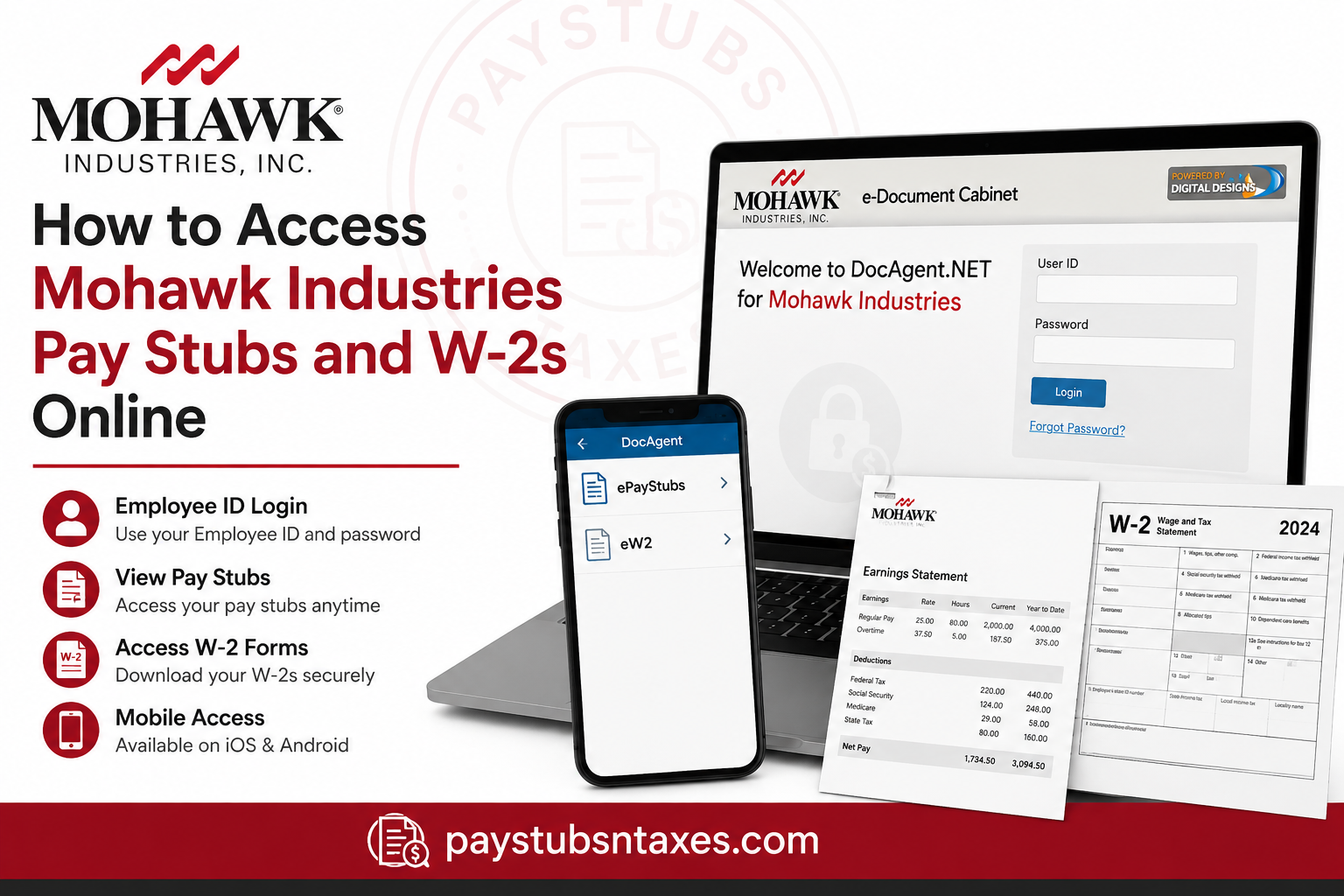
Mohawk Industries employees can access electronic pay stubs and W-2 tax statements through the Mohawk DocAgent e-Document Cabinet, a secure online document-management portal designed to make payroll records available without the inconvenience of keeping track of paper copies. Whether you are checking your latest earnings statement, retrieving an older pay stub, or downloading a W-2 for tax preparation, DocAgent puts these documents within easy reach from a computer, smartphone, or tablet. The Mohawk DocAgent login page is intended for current and former Mohawk Industries employees, although the documents available to an individual depend on the permissions and records associated with that employee’s account.
About Mohawk Industries
Headquartered in Calhoun, Georgia, Mohawk Industries is a global flooring manufacturer whose products serve residential and commercial markets. Its extensive portfolio encompasses broadloom carpet, carpet tile, rugs, ceramic and porcelain tile, natural stone, hardwood, laminate, sheet vinyl, luxury vinyl tile, countertops, insulation, panels, and mezzanine flooring.
Having evolved from a small American carpet manufacturer into a prominent international flooring enterprise, Mohawk maintains operations across multiple regions and markets. Its broader purpose is to improve the places where people live, work, and play through flooring products that combine beauty, performance, and sustainability.
Mohawk Industries DocAgent Portal
Employees and eligible former employees should use the following official portal:
Mohawk DocAgent portal: https://mohawkind.docagent.net/
The portal provides individual, password-protected access to payroll records. Each account is associated with the employee’s authorized profile, which helps ensure that users can view only the documents assigned to them.
For security, avoid following login links in unsolicited emails or messages. Enter the official address directly into your browser or use the link above.
Mohawk DocAgent Login Credentials
To sign in, enter the following information:
- User ID: Your Mohawk Employee ID
- Default password: The first four letters of your last name in uppercase, followed by the first four digits of your Social Security number
For example, if the first four letters of your last name are SMIT, those letters must be entered in capital letters before the required four digits.
Because this default password contains part of your Social Security number, enter it only on the official Mohawk DocAgent website. Never send your password through email, text message, or an unsecured form. If the system allows or requires you to create a new password, choose a strong, unique credential that you do not use elsewhere.
How to Access Mohawk Pay Stubs Online
Follow these steps to view a Mohawk Industries pay stub:
- Open a current internet browser on your computer, phone, or tablet.
- Visit https://mohawkind.docagent.net/.
- Enter your Employee ID in the User ID field.
- Enter your password.
- Select Login.
- Open the e-Document Cabinet after signing in.
- Select the ePayStubs folder.
- Locate the required pay period.
- Select the appropriate document icon to open your pay stub.
Depending on the configuration of your account, the available documents may appear immediately. If they do not, use the portal’s search function to display or narrow down the results.
Once a pay stub is open, your browser or document viewer may allow you to enlarge the page, search its text, move between pages, save a copy, or print the document. Available controls can vary by browser and device.
How to Access a Mohawk W-2 Online
Retrieving a W-2 follows much the same path:
- Go to the Mohawk DocAgent portal.
- Sign in with your Employee ID and password.
- Open the e-Document Cabinet.
- Select the eW2 folder.
- Choose the required tax year.
- Open the W-2 document.
- Download or print a copy if necessary.
Before relying on the form for tax preparation, confirm that you have selected the correct year and that your name, address, employer details, wages, and tax-withholding information are legible.
Store downloaded W-2 forms securely. Since tax documents contain sensitive personal and financial information, saving them to a shared or public computer is best avoided.
How to Find a Document in the e-Document Cabinet
The records visible in your cabinet depend on the permissions and identifying information attached to your account. If numerous documents are available, you may be able to search or sort them.
Useful options may include:
- Searching by an available date or document field
- Selecting a column heading to sort the document list
- Selecting the same heading again to switch between ascending and descending order
- Opening a record by selecting its document icon
The precise search fields and sorting options may differ because portal features are configured by the administrator.
How to Use the DocAgent Mobile App
Employees who prefer mobile access can download the DocAgent Mobile app free of charge from the Apple App Store or Google Play Store.
During the first login, enter:
- Your DocAgent portal User ID
- Your DocAgent portal password
- Client ID: MOHAWKIND
After authentication, the app should provide access to the payroll documents available under your profile, including ePayStubs and eW-2s.
Download the application only from the official Apple App Store or Google Play Store. Verify the app’s identity before entering your credentials, and keep your phone protected with a passcode, biometric lock, or another reliable security measure.
How to Reset a Forgotten Password
If you cannot remember your password:
- Open the Mohawk DocAgent login page.
- Select Forgot Password?
- Follow the instructions displayed on the screen.
- If the standard recovery option does not work, use the portal’s separate Password Reset link.
- Complete any identity-verification or password-update steps presented by the system.
The portal states that password-reset requests are completed during normal business hours, from 8:00 a.m. to 5:00 p.m. Eastern Time. Consequently, a request submitted outside those hours may not be handled until the next applicable business period.
What to Do If You Cannot Find a Pay Stub or W-2
If a document does not appear, first confirm that you have opened the correct folder:
- Pay statements are stored under e-Document Cabinet > ePayStubs
- Tax statements are stored under e-Document Cabinet > eW2
Next, try any available search feature, clear overly narrow search criteria, and check whether the expected pay period or tax year has been selected. If the record is still missing, the document may not yet have been published, or your profile may require administrative attention.
Avoid repeatedly guessing your password, as doing so could cause an account lockout.
Mohawk Industries Payroll Support
If you need help with portal access, password recovery, or missing payroll documents, contact Mohawk Shared Services:
Email: Shared_Services_Admin@mohawkind.com
When requesting assistance, explain the problem clearly and include your name and Employee ID if appropriate. Do not place your password, full Social Security number, or complete tax information in an ordinary email.
Final Thoughts
The Mohawk Industries DocAgent portal offers a straightforward route to payroll and tax records without the inconvenience of waiting for paper copies. Once you have signed in with your Employee ID and password, the ePayStubs and eW2 folders place your documents at your fingertips, whether you are working from a desktop computer or accessing the service on the go. Keep your credentials private, use the official portal, download sensitive records only to a secure device, and log out when you are finished. If the process reaches a stumbling block, Mohawk Shared Services can help you regain access or investigate a missing document.
Frequently Asked Questions About Mohawk Pay Stubs and W-2s
1. How do I access my Mohawk Industries pay stubs online?
Visit https://mohawkind.docagent.net/, sign in with your Employee ID and password, and open e-Document Cabinet > ePayStubs. Select the relevant pay period to view, download, or print your statement.
2. How do I get my Mohawk Industries W-2 online?
Sign in to the Mohawk DocAgent portal and go to e-Document Cabinet > eW2. Select the required tax year, open the W-2, and use your browser or document viewer to download or print it.
3. What is the Mohawk Industries employee portal for pay stubs?
Mohawk Industries provides payroll and tax documents through its DocAgent portal at https://mohawkind.docagent.net/. This secure e-Document Cabinet contains authorized pay stubs and W-2 forms.
4. What is my Mohawk DocAgent User ID?
Your Mohawk DocAgent User ID is your Employee ID. Enter it in the User ID field on the official portal login page.
5. What is the default password for Mohawk DocAgent?
The default password is the first four letters of your last name in uppercase, followed by the first four digits of your Social Security number. Enter this information only on the official Mohawk DocAgent website.
6. What should I do if I forget my Mohawk DocAgent password?
Select Forgot Password? on the login page and follow the recovery instructions. If that option is unsuccessful, use the separate Password Reset link displayed on the portal.
7. How long does a Mohawk DocAgent password reset take?
The portal states that password-reset requests are completed during normal business hours, from 8:00 a.m. to 5:00 p.m. Eastern Time. Requests made outside those hours may not be processed until the next applicable business period.
8. Can I access my Mohawk pay stubs from my phone?
Yes. You can open the Mohawk DocAgent portal in your phone’s internet browser or use the DocAgent Mobile app, which is available through the Apple App Store and Google Play Store.
9. What is the Mohawk Industries DocAgent client ID?
The Mohawk Industries client ID is MOHAWKIND. Enter it during the initial setup or first login when the DocAgent Mobile app requests a client ID.
10. Can former Mohawk employees access their W-2s online?
The Mohawk DocAgent login page is intended for eligible employees and former employees. Access depends on whether the former employee’s account remains active and authorized; those unable to sign in should contact Shared Services.
11. Why can’t I see my pay stubs in DocAgent?
Your pay stubs may be in the ePayStubs folder but hidden until you run a search. Open the folder, use any available search controls, clear restrictive filters, and verify that you selected the correct pay period.
12. Why can’t I find my Mohawk W-2?
First, open e-Document Cabinet > eW2 and check the selected tax year. If the form still does not appear, it may not yet have been published, or your account permissions may require assistance from Shared Services.
13. Can I download or print a Mohawk pay stub or W-2?
Yes. Open the required document and use the available viewer or browser controls to save or print it. Because payroll and tax records contain sensitive information, use a secure personal device and delete files saved on shared computers.
14. Who do I contact for help with Mohawk payroll documents?
Contact Mohawk Shared Services at Shared_Services_Admin@mohawkind.com. Describe the issue and provide your name and Employee ID when appropriate, but never email your password or full Social Security number.
15. Is the Mohawk DocAgent portal secure?
The portal restricts documents according to each user’s authorized profile, folders, groups, and identifying values. Users should strengthen that protection by visiting only the official portal, keeping passwords private, avoiding unsecured public Wi-Fi, and logging out after every session.
