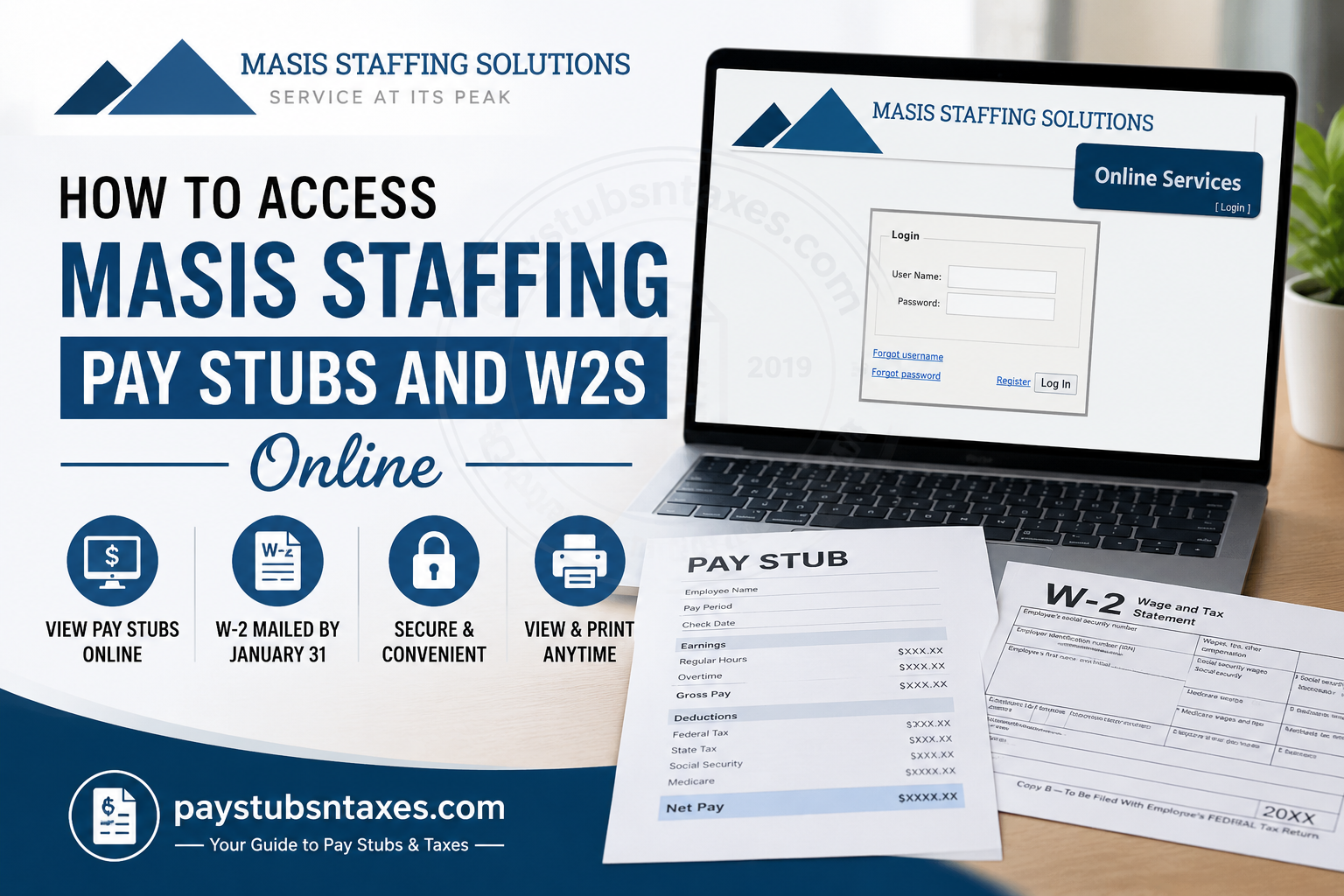
Masis Staffing Solutions employees can securely review their current and historical pay stubs through the Madison Resource Funding Employee Self Service portal. Whether you receive your wages by direct deposit or live check, the portal provides convenient access to earnings statements, deductions, taxes, net pay, and year-to-date payroll information. Although pay stubs are available electronically, W-2 forms follow a separate distribution process. This guide explains how to log in, view or print a Masis Staffing pay stub, manage your account, recover your credentials, and obtain your annual W-2.
Masis Staffing Employee Pay Stub Portal
Visit the official Masis Staffing Solutions payroll portal:
https://masis.madisonrf.com/Login.aspx
You can access the secure website from a computer, tablet, or compatible mobile device with an internet connection. Because payroll records contain sensitive personal information, avoid signing in on a public or unsecured device whenever possible.
How to Log In to the Masis Staffing Pay Stub Portal
Follow these steps to access your online payroll records:
- Open the Masis Staffing employee portal.
- If you arrive at the main portal page rather than the sign-in form, select “Login” beneath “Online Services” in the upper-right corner.
- Enter your username. Your initial username is generally formed by combining:
- Your last name; and
- The final four digits of your Social Security number.
For example, an employee whose last name is Haque and whose Social Security number ends in 1234 may use Haque1234.
- Enter your initial password, which is generally the final four digits of your Social Security number. In this example, the password would be 1234.
- Select “Log In” to enter your account.
Enter your information carefully, paying attention to spelling and capitalization. If the system does not accept the expected format, contact your local Masis Staffing representative instead of repeatedly attempting to sign in.
What to Do During Your First Login
When you log in for the first time, the portal may ask you to provide an email address. Although it may be tempting to skip this step, adding an email address is strongly recommended because it activates the “Forgot Password” assistance feature.
Choose an email account that you regularly monitor and can access independently. Keeping this address current can save you considerable time if you later forget your password or encounter an account-access problem.
Once you have entered your account, replace the temporary password with a strong, private password. Do not reuse a password from another important account, and never share your payroll credentials with another person.
How to View a Masis Staffing Pay Stub Online
After logging in, use the following procedure:
- Select the “Paystubs” tab.
- Choose “Home.”
- Review the five most recent pay stubs displayed on the Home screen.
- Select the relevant check number to open the complete pay stub.
Your pay stub may show information such as:
- Pay period and check date;
- Gross wages;
- Hours and pay rates;
- Taxes and other deductions;
- Direct-deposit or payment information;
- Net pay; and
- Year-to-date wages, taxes, and net earnings.
Review each statement promptly. If your hours, rate of pay, deductions, banking information, or net payment appear incorrect, contact your local branch representative or Payroll Administrator as soon as possible.
How to Find Older Masis Staffing Pay Stubs
The Home screen displays only the five most recent statements, but additional loaded pay stubs may remain available elsewhere within the Paystubs section. Look for an option such as “Employee Paystub” or a complete pay-stub listing, then select the appropriate year or check number.
Historical records can be useful when applying for housing, preparing a tax return, confirming income, or reviewing past deductions. Nevertheless, the portal may not contain every payroll record ever issued.
If you require an older statement that does not appear online—or need formal documentation for a mortgage lender, the Social Security Administration, or another agency—contact your Payroll Administrator. The payroll team can provide the necessary information either to you or, where appropriate, directly to the requesting organization.
How to Print or Save a Pay Stub
Open the required pay stub by selecting its check number, then use your browser’s print function. Depending on your device and browser, you may be able to:
- Print a paper copy;
- Save the statement as a PDF;
- Choose a specific printer; or
- Adjust the page orientation and scale.
Before printing, use the preview screen to ensure that the employee information, earnings, deductions, and totals are visible. If you save a digital copy, store it in a secure, password-protected location rather than on a shared or public device.
How to Review Year-to-Date Payroll Information
The portal provides year-to-date information so that employees can see a running summary of payroll activity. From the Paystubs section, open “Home” or select the available “Year-to-Date” or “YTD” option.
The year-to-date summary may include:
- Gross earnings;
- Federal taxable wages;
- Federal and state income-tax withholding;
- Social Security and Medicare taxes;
- Other payroll deductions; and
- Net pay.
These totals are valuable for personal budgeting and tax planning. However, a portal summary should not be treated as a substitute for an official W-2 or other document required by a government agency, lender, or financial institution.
When Are Masis Staffing Pay Stubs Available?
Electronic pay stubs are uploaded to the secure payroll website around the applicable payday. They may ordinarily become visible on the evening before payday, while holiday schedules or payroll-processing circumstances can postpone availability.
If your statement does not appear when expected, allow time for the payroll update to finish. If it remains unavailable, contact your local branch representative rather than creating another account.
Direct-deposit employees generally do not receive a routine paper pay stub because the electronic statement serves as the accessible payroll record. The online system reduces paper consumption while enabling employees to review and print their information whenever necessary.
How to Change Your Password or Email Address
After signing in:
- Select the “Paystubs” tab.
- Choose “My Account.”
- Review the employee details associated with your account.
- Select the appropriate option to change your password or update your email address.
Keeping your email address current is particularly important because password-recovery instructions may be sent there. If any personal or employment information appears incorrect, contact Masis Staffing; do not assume that changing your email address will update other payroll or personnel records.
What to Do If You Forget Your Username or Password
The Masis Staffing login screen includes “Forgot username” and “Forgot password” links.
Use the appropriate recovery link and follow the instructions displayed on the screen. The recovery process is more straightforward when a valid email address has already been registered with your account.
If self-service recovery does not work, contact your local Masis Staffing branch or the head office. For your protection, never send your complete Social Security number, password, or banking details through an unsecured email message.
How Masis Staffing Employees Receive Their W-2s
Masis Staffing W-2 forms are mailed to employees’ home addresses no later than January 31, subject to the applicable calendar and legal mailing requirements. Consequently, employees should ensure that Masis Staffing has their correct mailing address well before year-end.
If you would prefer to collect your W-2 from your local office, contact your local team leader in advance to determine whether pickup can be arranged. Do not assume that a W-2 will be held automatically.
The pay-stub portal provides useful payroll and year-to-date information, but the available instructions do not establish that W-2 forms can be downloaded there. Unless Masis Staffing directly advises you otherwise, expect your official W-2 to arrive by mail or arrange collection through your local office.
If you have moved, notify Masis Staffing promptly. Updating an email address in the payroll portal may not update the residential address used for W-2 delivery.
What If Your W-2 Does Not Arrive?
If your W-2 has not arrived after the expected mailing period:
- Confirm that Masis Staffing has your correct home address.
- Contact your local team leader, branch representative, or Payroll Administrator.
- Ask whether the form was mailed and whether a reissued copy or office collection is available.
- Allow sufficient delivery time, particularly if you recently moved or mail has been forwarded.
Do not create a second payroll account in an attempt to locate the form, as duplicate accounts can make matters more confusing.
Masis Staffing Payroll Help and Contact Information
For assistance with portal access, pay stubs, hours, pay rates, deductions, direct-deposit information, historical payroll records, or W-2 delivery, contact your local Masis Staffing branch or use the following head-office details:
Telephone: 508-422-7452
Email: info@masisstaffing.com
When requesting help, be prepared to provide enough information for the team to identify your employment record. However, never include your password or complete Social Security number in an ordinary email.
Final Takeaway
The Masis Staffing Employee Self Service portal places essential payroll information within easy reach, allowing employees to review recent and historical pay stubs, monitor year-to-date totals, print statements, and manage basic account settings. By registering an up-to-date email address, safeguarding your credentials, and reviewing each pay statement without delay, you can keep your payroll records in good order and nip potential problems in the bud. For W-2s, remember that the standard process is delivery by mail rather than confirmed online access. Keep your home address current, contact your local team leader if you wish to arrange office collection, and reach out to Masis Staffing promptly whenever a document is missing or inaccurate.
Frequently Asked Questions About Masis Staffing Pay Stubs and W-2s
1. How do I access my Masis Staffing pay stub online?
Visit the Masis Staffing Employee Self Service portal, enter your username and password, and select “Log In.” Once inside your account, open the “Paystubs” tab, choose “Home,” and select the appropriate check number to view the complete statement.
2. What is the official Masis Staffing pay-stub portal?
The official employee payroll portal is https://masis.madisonrf.com/Login.aspx. If you enter through the main Masis payroll page, select “Login” beneath “Online Services.” Bookmark the official address to avoid unofficial websites that may attempt to collect sensitive payroll information.
3. What is my Masis Staffing pay-stub username?
Your initial username is generally your last name followed by the final four digits of your Social Security number. For example, an employee named Haque whose Social Security number ends in 1234 may enter haque1234. Follow the capitalization used in your employee record if the first attempt is unsuccessful.
4. What is my initial Masis Staffing portal password?
Your initial password is generally the final four digits of your Social Security number. If those digits are 1234, your initial password would be 1234. After signing in, replace this temporary password with a strong, unique password that you do not use for another account.
5. What should I do during my first Masis Staffing portal login?
The system may prompt you to provide an email address during your first login. Enter an address you regularly monitor because registering it activates the “Forgot Password” assistance feature. You should also change your temporary password and verify that your displayed employee information is correct.
6. How do I view my five most recent pay stubs?
After logging in, select “Paystubs” and then “Home.” The Home screen ordinarily displays your five most recent pay stubs, along with year-to-date wage, tax, and net-pay information. Select a check number to open the corresponding statement and examine its full details.
7. How can I find an older Masis Staffing pay stub?
Open the “Paystubs” section and look for the complete employee pay-stub listing or available historical records. You may be able to select a year and review previous statements. If the required record is unavailable online, ask your Payroll Administrator to provide a copy.
8. Can I print or save my Masis Staffing pay stub?
Yes. Open the required statement by selecting its check number, then use your browser’s print function. Depending on your device, you can print a paper copy or save the statement as a PDF. Store downloaded payroll documents securely because they contain confidential personal and financial information.
9. When are Masis Staffing pay stubs posted online?
Pay stubs are normally uploaded around the applicable payday and may become available on the evening before payment. A holiday week or payroll-processing delay can affect the posting schedule. If a statement remains unavailable after allowing reasonable processing time, contact your local Masis Staffing representative.
10. Where can I see my year-to-date earnings and taxes?
Select “Paystubs” and open “Home” or the available “Year-to-Date” option. The portal may display year-to-date gross wages, taxable earnings, payroll taxes, deductions, and net pay. These figures are useful for reviewing earnings, although they do not replace an official W-2.
11. How do I change my Masis Staffing portal password or email?
Log in, select “Paystubs,” and choose “My Account.” This section allows you to review employee details and, where enabled, change your password or registered email address. Keeping your email current is essential because it supports password recovery and other account-related communications.
12. What should I do if I forget my username or password?
Select “Forgot username” or “Forgot password” on the login screen and follow the displayed recovery instructions. If you did not register an email address or cannot complete the recovery process, contact your local branch. Never send your password or full Social Security number by email.
13. Can direct-deposit and live-check employees use the portal?
Yes. The online pay-stub service is available to Masis Staffing employees who receive direct deposit as well as those paid by live check. Direct-deposit employees generally do not receive routine paper statements, so the portal serves as the principal way to view and print their pay stubs.
14. Can I download my Masis Staffing W-2 online?
The available employee instructions confirm electronic access to pay stubs but do not establish that W-2 forms are downloadable from the portal. Unless Masis Staffing provides different instructions, expect your W-2 to arrive by mail or arrange collection through your local team leader.
15. When and how will I receive my Masis Staffing W-2?
Masis Staffing generally mails W-2 forms to employees’ home addresses no later than January 31. Make sure the company has your current mailing address. If you prefer to collect the form from a local office, contact your team leader beforehand to determine whether pickup can be arranged.
