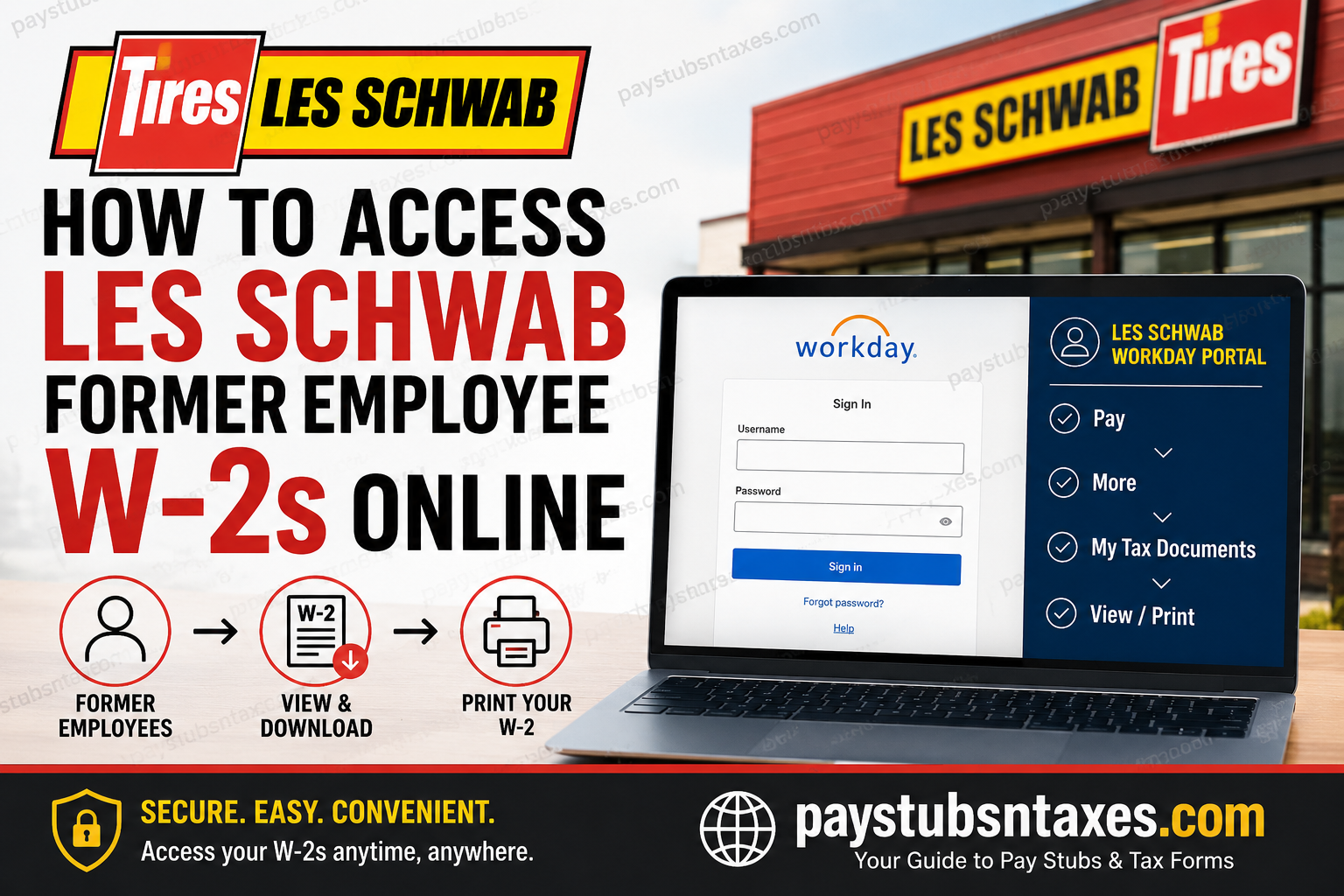
Former Les Schwab Tire Centers employees may retain temporary access to Workday after leaving the company, enabling them to retrieve payroll records and year-end tax statements online. If your former-employee account remains active, you can use any internet-connected computer to view, download, or print an available W-2 or corrected W-2C.
Because access does not necessarily remain open indefinitely after separation, it is prudent to retrieve your documents sooner rather than later. A few minutes spent downloading them now could spare you a considerable headache when tax-filing deadlines loom.
About Les Schwab Tire Centers
Founded in 1952, Les Schwab Tire Centers grew from a single tire store in Prineville, Oregon, into one of the most prominent tire retailers in the western United States. The company is headquartered in Bend, Oregon, and operates hundreds of locations across multiple states.
Its long-standing business philosophy has placed considerable emphasis on customer service, knowledgeable local employees, internal career advancement, and profit sharing. The company describes its employees as the heart of the organization and has traditionally focused on developing managers from within.
While your employment may have ended, certain payroll records can remain accessible electronically for a limited period, which can save you the trouble of waiting for a replacement document by mail.
Les Schwab Former Employee Workday Login
Use the following non-SSO Workday portal:
The page should display Les Schwab branding and fields for your username and password. Former employees should use the credentials associated with their Workday account rather than attempting to sign in through an active-employee single sign-on service.
For security, avoid opening the portal through an unsolicited email or text message. Type the address directly into your browser or use the link above, and never disclose your Workday password or verification code to another person.
How to Find Your Les Schwab W-2 in Workday
Once your account is ready, follow these steps:
1. Sign in to Workday
Open the Les Schwab non-SSO Workday portal, enter your username and password, and select Sign In.
If you cannot remember your password, use Forgot password? on the login page. Follow the identity-verification instructions carefully; depending on the information attached to your account, Workday may send a recovery message or ask you to complete another verification step.
2. Open the Pay application
From the Workday home page or main dashboard, locate and select the Pay application. This area houses payroll-related information, including year-end tax forms.
If Pay is not immediately visible, check Applications, View All Apps, or the Workday search field. Workday layouts can vary slightly depending on browser size, account permissions, and system updates.
3. Expand the View menu
Within the Pay application, find the View section. Select More if the full list of options is not already displayed.
4. Select My Tax Documents
Choose My Tax Documents. This page should list the tax statements currently available to your account, including W-2 forms and any applicable W-2C corrections.
5. View, download, or print the W-2
Locate the required tax year and select View/Print. Workday may need a few moments to generate the document.
When the form opens, save a PDF copy to a secure location before printing it. Use a descriptive filename, such as Les-Schwab-W2-2025.pdf, so that the document will be easy to locate later.
How Long Can Former Employees Access Workday?
Les Schwab may provide former employees with Workday access for a limited period following separation. The precise duration can depend on company policy and the status of the individual account; consequently, continued access should not be taken for granted.
As soon as your final payroll information and year-end tax documents become available, download them and retain secure copies. It is better to have the records in hand than to be caught on the back foot after portal access has expired.
Will Les Schwab Mail a W-2 to Former Employees?
Former employees generally receive a paper W-2 by postal mail at the address recorded in the employer’s payroll system, ordinarily by January 31 of the following year, subject to applicable mailing and tax-reporting requirements.
Online Workday access provides a convenient alternative while the former-employee account remains active, but it does not lessen the importance of keeping your mailing address current. If you moved after leaving Les Schwab, contact the appropriate support team to confirm that your address is accurate.
Allow reasonable delivery time after the form has been mailed. If it does not arrive, verify your address and request assistance rather than filing with estimated wage or withholding figures.
What to Do If You Cannot Access Your W-2
If your Les Schwab former-employee Workday login is not working, work through the following checks:
- Confirm that you are using the non-SSO portal rather than an active-employee sign-in page.
- Re-enter your username carefully and make sure Caps Lock is turned off.
- Use Forgot password? to begin account recovery.
- Check spam or junk folders for password-reset messages.
- Try a current browser, such as Chrome, Edge, Firefox, or Safari.
- Clear the browser cache or open a private browsing window.
- If the form opens but does not download, allow pop-ups for the Workday website.
- If access has expired or the recovery process fails, contact the Help Desk.
For assistance with W-2s or Workday access, contact the Les Schwab Help Desk at:
- Internal extension: x5244
- Telephone: 1-800-248-8884
Have your former employee information and the relevant tax year at hand, but do not send sensitive data—such as your complete Social Security number—through unsecured email or text messages.
Final Takeaway
Retrieving a Les Schwab former-employee W-2 is usually straightforward while Workday access remains available: sign in through the non-SSO portal, open Pay, select More, choose My Tax Documents, and click View/Print. Download every relevant W-2 or W-2C, store the files securely, and sign out when finished. If the account cannot be recovered or access has already expired, call the Help Desk at 1-800-248-8884 rather than waiting until the tax deadline is around the corner.
Frequently Asked Questions About Les Schwab Former Employee W-2s
1. Can former Les Schwab employees access Workday?
Former Les Schwab employees may retain Workday access for a limited period after separation. Because access can eventually expire, employees should download available W-2s, pay statements, and other essential payroll records as soon as possible.
2. What is the Les Schwab former-employee Workday login link?
The Les Schwab non-SSO Workday portal is:
https://wd1.myworkday.com/lesschwab/login.htmld?redirect=n
Former employees should use this portal with their existing Workday credentials rather than an active-employee single sign-on page.
3. How do I access my Les Schwab W-2 online?
Sign in to Workday and open Pay. Under View, select More, click My Tax Documents, and choose View/Print beside the required W-2. Save the form securely before signing out.
4. Where is My Tax Documents in Workday?
My Tax Documents is generally located inside the Pay application. If it is not immediately visible, expand the View section by clicking More. Workday’s appearance may vary slightly according to browser size and system updates.
5. Can I download my Les Schwab W-2 as a PDF?
Yes. Select View/Print beside the relevant tax document and use your browser or PDF viewer to download it. Give the file a clear name containing the company and tax year, then store it in a secure location.
6. Why is my Les Schwab W-2 not showing in Workday?
Your W-2 may not have been released yet, the wrong tax year may be selected, or former-employee access may have changed. Check Pay > More > My Tax Documents and confirm the tax year before contacting support.
7. How long do former Les Schwab employees have Workday access?
Former employees may have Workday access for a certain period after leaving the company, but the exact duration can vary. Since access should not be regarded as permanent, download important payroll and tax records promptly.
8. What should I do if I forgot my Workday password?
Select Forgot password? on the Workday login page and complete the identity-verification process. Check your spam folder if a recovery message does not arrive. If the reset process fails, contact the Les Schwab Help Desk.
9. What should I do if my Workday account is locked?
Wait briefly before attempting another sign-in, then use the password-recovery option if appropriate. If the account remains locked—or if former-employee access has expired—call the Help Desk at 1-800-248-8884.
10. Will Les Schwab mail my W-2 after I leave the company?
Former employees generally receive a paper W-2 at the mailing address recorded in the payroll system. Employers ordinarily furnish or mail W-2 statements by January 31 of the following year, subject to the applicable reporting deadline.
11. What if my mailed Les Schwab W-2 never arrives?
Allow reasonable postal delivery time, confirm that your former employer has your correct address, and contact the Help Desk if the form remains missing. Avoid preparing a tax return with estimated wage or withholding figures.
12. How do I obtain a corrected Les Schwab W-2?
A corrected statement appears as a W-2C in Workday when one has been issued. Open My Tax Documents and download every related form displaying View/Print, since the correction may need to be read alongside the original W-2.
13. What is the difference between a W-2 and a W-2C?
A W-2 reports annual wages and taxes withheld, whereas a W-2C corrects information on a previously issued W-2. A W-2C may amend only selected entries, so retain both the original statement and the correction.
14. Who should I contact about a Les Schwab W-2 problem?
For assistance with W-2 forms or Workday access, contact the Les Schwab Help Desk:
- Internal extension: x5244
- Telephone: 1-800-248-8884
Keep your former-employee details and the relevant tax year nearby when calling.
15. How can I keep my downloaded W-2 secure?
Download the W-2 on a private device using a trusted internet connection. Store it in an encrypted or password-protected location, avoid shared printers, and never send the document through unsecured email. Always sign out of Workday after finishing.
