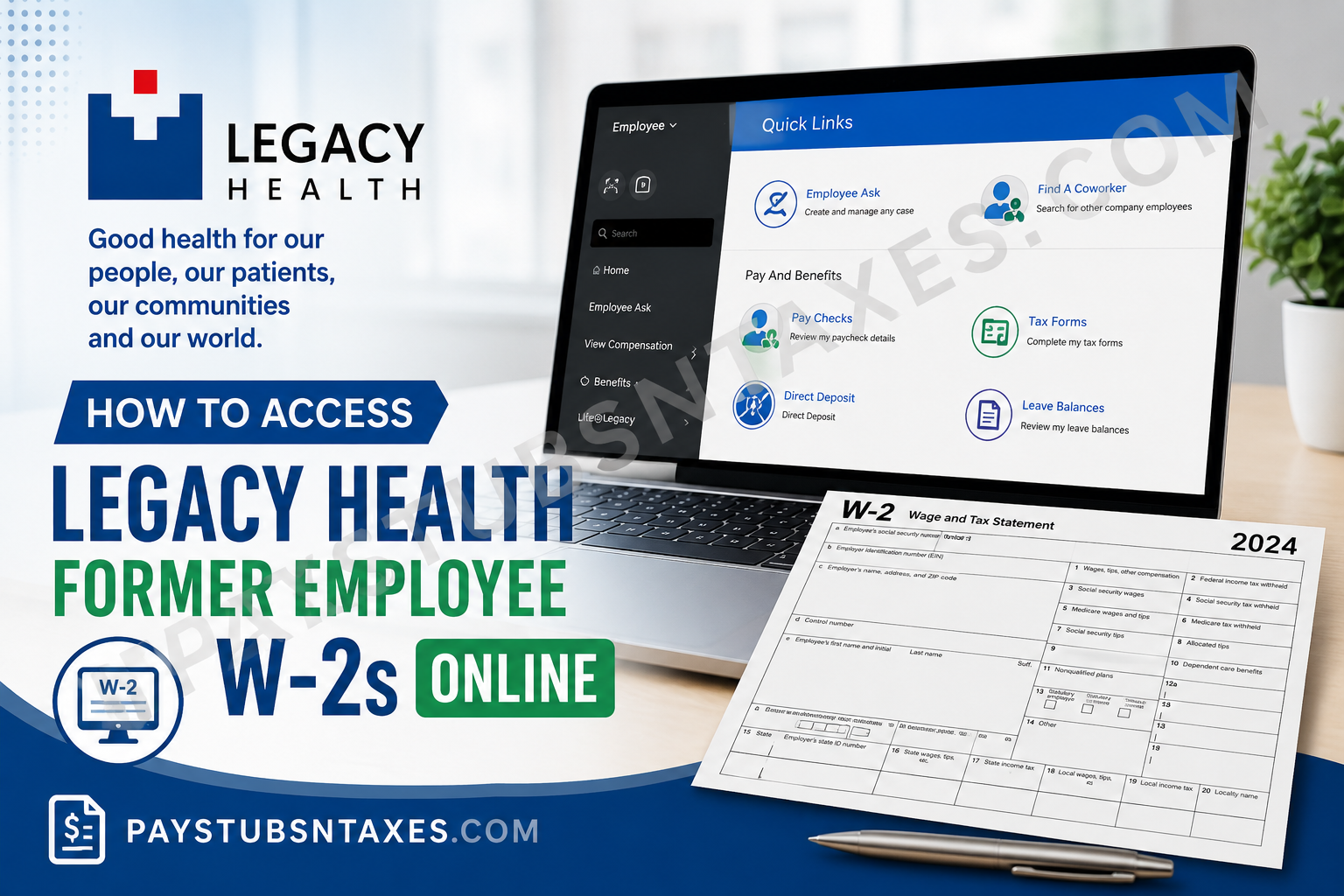
Former Legacy Health employees who need a copy of their W-2 Wage and Tax Statement may be able to retrieve it electronically through Infor Employee Space, provided their Legacy Health system access is still active. Because access can eventually be withdrawn after separation, former employees should download and securely save any available tax documents as soon as possible. If online access is no longer available, Legacy Health generally mails the W-2 to the employee’s address on record by January 31 of the following year.
About Legacy Health
Legacy Health is a nonprofit healthcare system headquartered in Portland, Oregon. Its network includes hospitals, a children’s hospital, clinics, outpatient facilities, specialty institutes, and other healthcare services across Oregon and southwest Washington. The organization has historically employed approximately 14,000 people.
Legacy Health uses Infor as an employee self-service and human resources platform. Through Infor Employee Space, employees can manage various aspects of their employment information and, while their account remains accessible, review payroll-related records and tax documents.
How to Access a Legacy Health Former Employee W-2 Online
Step 1: Open the Legacy Health Infor Portal
Using a computer with a reliable internet connection, open:
https://mingle-portal.inforcloudsuite.com/LEGACYHEALTH_PRD
A desktop or laptop browser is generally preferable when downloading or printing tax documents.
Step 2: Sign In Through Legacy Health SSO
Enter your Legacy Health sign-in information and proceed through the organization’s SSO authentication process.
If your password is rejected or appears to have expired, use MyPassword to verify that your password is current and correct. After updating or validating the password, return to the Infor login page and try again.
For technical assistance with sign-in problems, contact:
Legacy Health IS Support: (503) 415-5888
Former employees should bear in mind that a perfectly correct password will not restore an account that has already been deactivated following separation.
Step 3: Open Infor Global HR
Once signed in, you should arrive at the Infor home page.
From there:
- Select the Homepages icon.
- Open the Homepages menu.
- Choose Infor Global HR.
- Wait for Employee Space to load.
This is the established navigation path for reaching Employee Space from the main Infor environment.
Step 4: Confirm That You Are in Employee Space
Check the upper-left portion of the screen and make sure Employee is selected.
Employee Space serves as the self-service hub through which users can view or maintain employment-related information. Infor’s Employee Self Service functionality is designed to connect employees directly with their own records rather than requiring every change or request to be processed manually by HR.
Step 5: Find the Pay And Benefits Section
On the Quick Links page, locate Pay And Benefits.
Several payroll and benefits-related options may appear here, including:
- Pay Checks
- Tax Forms
- Direct Deposit
- Leave Balances
For a W-2, select Tax Forms.
Step 6: Open Your W-2
After opening Tax Forms, look for the appropriate tax year and select the W-2 you want to review.
Depending on the options available within your account, you may be able to:
- View the W-2 electronically;
- Download a copy to your computer; or
- Print the document for your records.
When downloading a W-2, store it in a secure location because it contains sensitive personal, wage, and tax information.
Can Former Legacy Health Employees Still Access Infor?
Potentially, yes—but continued access should not be taken for granted.
Former employees may be able to sign in to Infor after leaving Legacy Health, particularly during the period shortly after separation. Nevertheless, system access can eventually be revoked as part of the normal offboarding and information-security process.
Therefore, there are two possible scenarios:
If your Infor login still works:
Sign in promptly and download the W-2 and any other payroll records you may need.
If your Infor login no longer works:
Do not assume that a forgotten password is necessarily the problem. Your former-employee access may simply have been discontinued. In that event, use the mailed W-2 or contact Legacy Health HR for assistance.
This distinction is important because repeatedly resetting a password will not reopen an account that has been administratively disabled.
How to View Legacy Health Pay Checks in Infor
Although former employees searching for tax documents are primarily interested in the Tax Forms link, employees with sufficient Infor access may also be able to review paycheck information.
From Employee Space:
- Go to Quick Links.
- Locate Pay And Benefits.
- Select Pay Checks.
- Review the available paycheck information.
- Select the Compensation tab when available to review compensation associated with work assignments and pay-rate history.
The Infor Employee Resource Guide specifically directs users to Pay Checks through Employee Space and identifies the Compensation tab as the location for work-assignment compensation and pay-rate history.
Downloading important payroll records before losing system access can save a considerable amount of time later, particularly when documents are needed for income verification, tax preparation, mortgage applications, or other financial purposes.
What If My Legacy Health Infor Account Has Been Disabled?
If you cannot access Infor because your former-employee credentials have expired or been revoked, the electronic route may no longer be available.
The good news is that the W-2 is not solely dependent on online access. Legacy Health generally sends W-2 statements by standard postal mail to the employee’s mailing address on record no later than January 31 of the following year.
This makes your mailing address particularly important after leaving Legacy Health.
Keep Your Mailing Address Current
Whenever possible, verify your home address before your final day of employment or while you can still access Employee Space.
Infor allows employee information to be maintained through self-service functions, including address information. The employee resource material instructs users to enter their street address, city, state, and ZIP code when adding or updating an address.
If you move after leaving Legacy Health, contact HR rather than assuming that USPS forwarding alone will ensure delivery of an important tax document.
What If You Have Not Received Your W-2?
If the W-2 has not arrived and you cannot retrieve it online, first consider the most common causes:
Your address may be outdated.
A W-2 mailed to an old address can be delayed or returned.
Your Infor access may have expired.
Former-employee system privileges do not necessarily remain active indefinitely.
The W-2 may still be in transit.
Employers generally issue W-2s by the applicable January deadline, but postal delivery naturally takes additional time.
If the document remains unavailable, contact the Legacy HR Answer Center and explain that you are a former employee requesting assistance with a W-2.
Legacy HR Answer Center: (503) 415-5100
You can also contact the Benefits Department at: BenefitsDepartment@lhs.org.
When contacting Legacy Health, be prepared to provide enough information for the representative to locate and verify your employment record.
What Information Should a Former Employee Have Ready?
To streamline the process, keep the following information at hand when requesting assistance:
- Your full legal name;
- Your former Legacy Health employee ID, if available;
- The last four digits of your Social Security number if requested for verification;
- Your current mailing address;
- Your email address;
- A telephone number where you can be reached; and
- The tax year of the W-2 you need.
Legacy Health uses a similar identity-verification approach when current or former employees request certain benefits-related tax documents, such as Form 1095-C. Its benefits information asks individuals to provide identifying and contact information so the request can be processed accurately.
Never send a complete Social Security number through ordinary email unless Legacy Health specifically directs you to use an approved secure method.
Legacy Health W-2 Paperless Delivery
Employees who elect electronic or paperless tax delivery may receive their W-2 through Infor rather than relying solely on a mailed copy.
If you previously selected paperless delivery, it is particularly important to establish whether your Infor access still works after termination. While electronic delivery is convenient, former employees should not leave matters until the eleventh hour: once system access disappears, retrieving older records may require HR intervention.
A sensible practice is to download a personal copy of each W-2 as soon as it becomes available and keep it in an encrypted or otherwise secure storage location.
What If My Legacy Health Password Does Not Work?
If Infor recognizes your account but rejects your password, use MyPassword to verify or update your Legacy Health password and then return to the sign-in page.
If the problem persists, call:
IS Support: (503) 415-5888
However, former employees should distinguish between a password problem and an account-access problem. If Legacy Health has deactivated your account following separation, changing the password will not necessarily restore access.
Legacy Health W-2 vs. Form 1095-C
A W-2 and Form 1095-C serve different purposes.
Your W-2 reports wages paid and taxes withheld during the calendar year. It is one of the principal documents used when preparing a federal and state income-tax return.
Form 1095-C, by contrast, relates to employer-provided health coverage.
Current and former Legacy Health employees who need a copy of Form 1095-C may contact the Legacy Health Benefits Department. The benefits information provides an email option, a voicemail number, and a mailing address for such requests.
Benefits Department email: BenefitsDepartment@lhs.org
Benefits voicemail: (503) 415-5700
Mail: Legacy Health, Attention: Benefits Department, 1919 NW Lovejoy Street, Portland, OR 97209
Requests for benefits-related tax forms may require your name, employee ID or other identity-verification information, current mailing address, email address, phone number, and preferred delivery method.
Former Employee W-2 Access Checklist
Before contacting HR, work through the following sequence:
- Visit the Legacy Health Infor Employee Space portal.
- Attempt to sign in using your Legacy Health credentials.
- Use MyPassword if your password needs verification or updating.
- Open Infor Global HR.
- Confirm that you are viewing Employee Space.
- Find Pay And Benefits under Quick Links.
- Select Tax Forms.
- Look for the required W-2 tax year.
- Download and securely save the W-2 if it is available.
- If your account has been disabled, check whether a paper W-2 has arrived at your mailing address.
- If necessary, contact the Legacy HR Answer Center for additional assistance.
Conclusion
Accessing a Legacy Health former employee W-2 online is relatively straightforward when your Infor credentials remain active. Sign in to Infor Employee Space, open Infor Global HR, navigate to Pay And Benefits, and select Tax Forms to locate the appropriate W-2.
The more important issue for former employees is timing. Infor access may eventually be withdrawn after separation, which means downloading necessary payroll and tax records sooner rather than later can prevent a great deal of inconvenience. If online access has already ended, rely on the W-2 mailed to your address on record or contact the Legacy HR Answer Center at (503) 415-5100 for assistance.
In short, keep your contact information current, preserve copies of your tax documents while you still have access, and act promptly if a W-2 is missing. A little foresight goes a long way when tax season rolls around.
Legacy Health Former Employee W-2 FAQs
1. How do I access my Legacy Health W-2 online?
Visit the Legacy Health Infor Employee Space, sign in with your Legacy Health credentials, open Infor Global HR, and select Tax Forms under Pay and Benefits.
2. What is the Legacy Health Infor Employee Space link?
The portal is available at: https://mingle-portal.inforcloudsuite.com/LEGACYHEALTH_PRD.
Check the web address carefully before entering your username, password, or authentication code.
3. Can former Legacy Health employees access Infor?
Former employees may retain access for a limited period after leaving Legacy Health. Because account access can be revoked following separation, continued availability is not guaranteed.
4. Where can I find my W-2 in Infor?
Navigate to: Infor Global HR > Employee Space > Pay and Benefits > Tax Forms
Select the appropriate tax year to view, download, or print an available W-2.
5. What should I do if my Legacy Health login no longer works?
Verify your password through MyPassword and try signing in again. If the problem persists, call Legacy Health IS Support at 503-415-5888.
6. Who should I contact about a missing Legacy Health W-2?
Call the Legacy HR Answer Center at 503-415-5100. You may also email the Benefits Department at BenefitsDepartment@lhs.org for guidance.
7. Will Legacy Health mail my W-2 after I leave?
Legacy Health generally mails W-2 forms to the address on record by the applicable annual distribution deadline, unless an electronic-only delivery arrangement applies. Former employees should keep their mailing addresses current.
8. What if my W-2 was mailed to an old address?
Contact the Legacy HR Answer Center at 503-415-5100 to correct your mailing information and ask how to obtain a replacement W-2.
9. Can I download more than one year of W-2 forms?
If prior-year statements remain available and your account is still active, you may be able to download W-2s for multiple tax years from Tax Forms. Availability can vary by account and retention period.
10. Is my Legacy Health pay statement the same as my W-2?
No. A pay statement covers earnings, taxes, and deductions for one pay period, whereas a W-2 summarizes annual taxable wages and tax withholdings.
11. Where can I find old Legacy Health pay statements?
Sign in to Infor Employee Space and select Pay Checks under Pay and Benefits. This area is separate from the Tax Forms section used for W-2s.
12. Can I access my W-2 from a personal computer?
Yes, provided that your Legacy Health account remains active and the portal accepts your credentials. Use a private device and a secure internet connection when viewing payroll records.
13. What information should I provide when requesting W-2 assistance?
Be prepared to provide your full name, former employee ID if available, current contact information, mailing address, employment details, and the required tax year. Never send your password or full Social Security number by ordinary email.
14. How can I protect my W-2 after downloading it?
Save the document in an encrypted or password-protected location, avoid shared computers, and delete unsecured copies. A W-2 contains sensitive identity and financial information.
15. What is the fastest way to obtain a Legacy Health W-2?
If your Infor account still works, downloading the form from Employee Space > Pay and Benefits > Tax Forms is usually the quickest option. Otherwise, contact the Legacy HR Answer Center for assistance.
