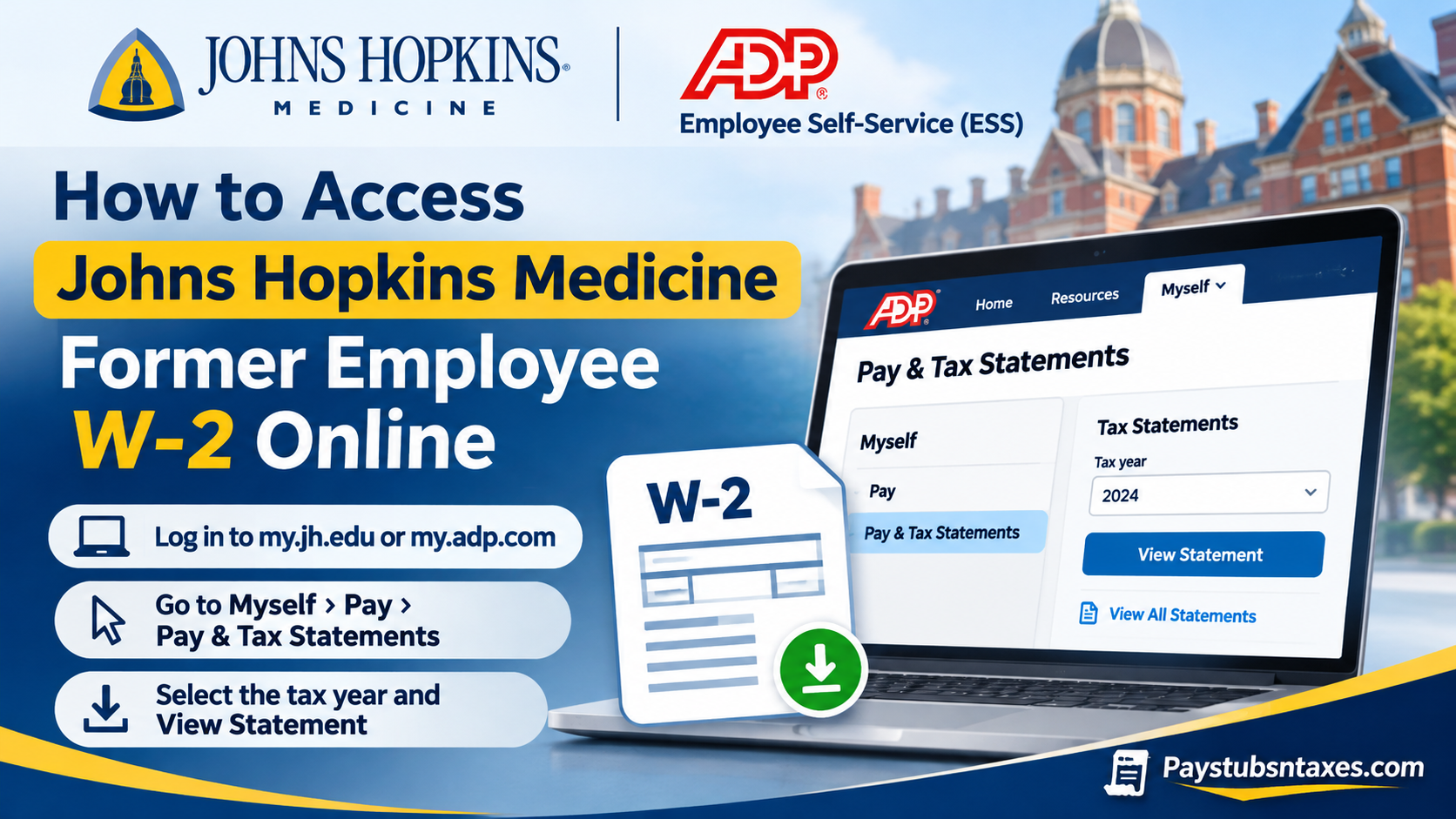
If you previously worked for Johns Hopkins Medicine, the quickest way to find your Form W-2 is to start with the payroll system your former employer used. If you were paid through regular Johns Hopkins payroll, sign in to Johns Hopkins Employee Self Service (ESS) with your personal email after accepting a guest account invitation. If you were paid through Johns Hopkins Intrastaff, sign in to ADP Employee Self Service and open Myself → Pay → Pay & Tax Statements. This comprehensive guide explains how to access your Johns Hopkins Medicine W-2 online, sign in through the myJH portal or ADP directly, download previous tax statements, and resolve common login difficulties.
Which Johns Hopkins W-2 portal should you use?
Johns Hopkins Medicine brings together the university’s School of Medicine and the Johns Hopkins Health System. Because someone working at a Hopkins facility may have been paid through Intrastaff, the name of the facility alone may not tell you where to find your tax form. If you are unsure which route applies, check the employer name on a previous W-2 or look at the payroll portal you used to view your pay statements.
| If you were paid through | Where to look for your W-2 | Access after leaving |
| Regular Johns Hopkins payroll | Johns Hopkins ESS using a guest account tied to your personal email | The former-employee payroll page lists access through the end of the calendar year after your employment ends. |
| Johns Hopkins Intrastaff | ADP Employee Self Service via MyJH or direct ADP sign-in | Up to 36 months after separation, provided your personal email was entered in the Johns Hopkins portal. |
The Johns Hopkins Payroll Shared Services website and its linked registration instructions give different time frames for regular ESS access. If your access has already ended or you need to confirm when it expires, call 443-997-5828. Once you can open your W-2, download a copy for your records.
How to download a W-2 from Johns Hopkins Employee Self Service
Former employees on regular Johns Hopkins payroll can access ESS through a guest account associated with a personal email address. Check the inbox and spam folder for the personal address you entered in myProfile. If the invitation never arrived or you no longer have access to that email account, contact HR/Payroll Shared Services at 443-997-5828 for help verifying your identity and getting access.
- Accept the Johns Hopkins guest account invitation. Follow the prompts to complete registration and any security verification.
- Open Johns Hopkins Employee Self Service. Sign in with the personal email address associated with your guest account.
- Open W-2 Information. From the ESS home screen, select W-2 Information → Online W-2.
- Choose the tax year and select Display. If you are looking for the W-2 covering wages paid in 2026, select 2026, even if you receive the form in 2027.
- Download or print the form. Check the tax year and employer name before saving the PDF.
Johns Hopkins Payroll Shared Services says it mails former employees a copy of their W-2 to the last home address on file, even if they previously opted for electronic delivery. If you moved after leaving, contact Payroll Shared Services to verify the address on file and ask how to request a replacement if the original was sent to your old address.
How to get an Intrastaff W-2 through ADP
Former Intrastaff employees can use ADP Employee Self Service for up to 36 months after separation if they entered a personal email address in their Johns Hopkins portal profile. You can reach ADP through MyJH while your Hopkins login still works, or sign in directly through ADP.
Option 1 — Sign in directly to ADP
Go to my.adp.com and sign in with your existing ADP credentials. If you have never created a direct ADP login, select Create Account, choose Find Me, and follow the identity verification prompts. Once your ADP account is set up, you can use it to sign in without first opening MyJH. If ADP cannot match your information to your Intrastaff payroll record, email intrastaffpayroll@jhmi.edu for assistance.
Option 2 — Open ADP from the MyJH portal
Visit my.jh.edu and select Log In. Enter your Hopkins-issued JHED ID and password. From the Browse menu, choose HR, then select the ADP tile. If you can still reach your MyJH profile and need to check the personal email on file, open myProfile, confirm or update the address, and save your changes.
Find and download your W-2 in ADP
- From the ADP home screen, open Myself → Pay → Pay & Tax Statements.
- In Tax Statements, use the year selector to find the W-2 you need. If you are looking for an older form, try View All Statements, if available.
- Select View Statement and complete the verification prompt if one appears.
- When the document opens, use the Download or Print option to keep a copy.
What to do if your Johns Hopkins W-2 is missing
If you can sign in but cannot see the form, double-check the tax year and the payroll system. In ADP, pay stubs appear under Pay Statements, while W-2s appear under Tax Statements. If you held both a regular Johns Hopkins position and an Intrastaff assignment during the same year, check the payroll records for each role. The employer listed on each record can help you determine whether you need to request a separate W-2.
If your access has expired, your guest invitation is missing, or the form still does not appear, contact the payroll team that handled your wages:
- Regular Johns Hopkins payroll: Call HR/Payroll Shared Services at 443-997-5828. When requesting a copy, have your date of birth, the last four digits of your Social Security number, the last home address on file, your employment dates, your former department, and your JHED ID ready for verification.
- Johns Hopkins Intrastaff: Email intrastaffpayroll@jhmi.edu. State the tax year you need and whether you are having trouble signing in or can sign in but cannot locate the form. Share sensitive identification details only through the verification process payroll provides.
Conclusion
Accessing a Johns Hopkins Medicine former employee W-2 online can be a straightforward process when the appropriate login credentials and payroll access privileges remain active. Eligible former employees can retrieve available tax statements through the Johns Hopkins myJH portal at https://my.jh.edu or directly through ADP Employee Self-Service at https://my.adp.com.
Once authenticated, users can generally locate their tax documents by navigating to Myself → Pay → Pay & Tax Statements, selecting the required tax year, and downloading the corresponding W-2. Former Johns Hopkins Intrastaff employees should pay particular attention to the 36-month post-employment access provision and the requirement to maintain a registered personal email address.
Whereas other former Johns Hopkins employees may have different access arrangements, contacting the appropriate HR or payroll department remains the most reliable course of action when account access has expired or a tax statement cannot be located. By understanding these procedures and preserving their payroll credentials wherever possible, former employees can retrieve essential tax documentation with greater confidence, convenience, and security.
Johns Hopkins Medicine Former Employee W-2 FAQs
1. Which payroll portal should I use to find my Johns Hopkins W-2?
Use Johns Hopkins ESS if you were paid through regular Johns Hopkins payroll. Use ADP Employee Self Service if you were paid through Intrastaff. If you’re unsure, check the employer name on a previous W-2 or the portal you used to view your pay stubs.
2. How do I sign in to Johns Hopkins ESS after leaving?
Accept the Johns Hopkins guest account invitation sent to your personal email. Complete the registration steps, then sign in to Johns Hopkins Employee Self Service with the email address associated with your guest account.
3. What if I never received my Johns Hopkins ESS guest invitation?
Check the inbox and spam folder for the personal email address you entered in myProfile. If you can’t find the invitation or no longer use that email address, call HR/Payroll Shared Services at 443-997-5828.
4. How long can former employees access regular Johns Hopkins ESS?
The former-employee payroll page lists access through the end of the calendar year following your separation. Johns Hopkins also publishes a registration guide that lists a different period, so call 443-997-5828 to confirm your account’s expiration date.
5. Will Johns Hopkins mail my W-2 if I previously chose electronic delivery?
Yes. For former employees on the regular Johns Hopkins payroll, a paper W-2 is mailed to the last home address on file, even if you previously elected electronic delivery.
6. What if I moved after leaving Johns Hopkins?
Call HR/Payroll Shared Services at 443-997-5828 to confirm your mailing address. If your W-2 was already sent to your previous address, ask how to request a replacement.
7. Can former Intrastaff employees still access their W-2s online?
Yes. Former Intrastaff employees can retain access to ADP Employee Self Service for up to 36 months after separation, provided they entered a personal email address in the Johns Hopkins portal.
8. Can I access my Intrastaff W-2 without signing in to MyJH?
Yes. Go directly to MyADP and sign in with your ADP credentials. If you haven’t set up a direct ADP login, select Create Account → Find Me and follow the verification prompts.
9. How do I open Intrastaff ADP through the MyJH portal?
If your Hopkins-issued JHED credentials still work, sign in to MyJH and select Browse → HR → ADP.
10. Where is my Intrastaff W-2 in ADP?
Go to Myself → Pay → Pay & Tax Statements. In Tax Statements, select the year you need, click View Statement, and complete any verification prompt. You can then download or print the form.
11. Which tax year should I choose when looking for my W-2?
Choose the year in which the wages were paid. For example, select 2026 for wages paid in 2026, even if you receive the form in 2027.
12. What if I worked for both Johns Hopkins and Intrastaff in the same year?
Check both Johns Hopkins ESS and ADP. If different employers paid you for the two roles, you may need a separate W-2 from each. Compare the employer names shown on the forms.
13. How do I request a replacement W-2 after my portal access expires?
For regular Johns Hopkins payroll, call 443-997-5828. For Intrastaff wages, email intrastaffpayroll@jhmi.edu. Specify the tax year you need and ask how to obtain a copy securely.
14. What information should I have ready when requesting a W-2 copy?
Johns Hopkins Payroll Shared Services may ask for your date of birth, the last four digits of your Social Security number, the last home address on file, your hire and separation dates, your former department, and your JHED ID. Provide those details through the verification process payroll specifies.
15. Why can I see my Intrastaff pay stubs in ADP but not my W-2?
Both appear under Pay & Tax Statements, with pay stubs under Pay Statements and W-2s under Tax Statements. If the correct tax year is missing from Tax Statements, contact intrastaffpayroll@jhmi.edu.
