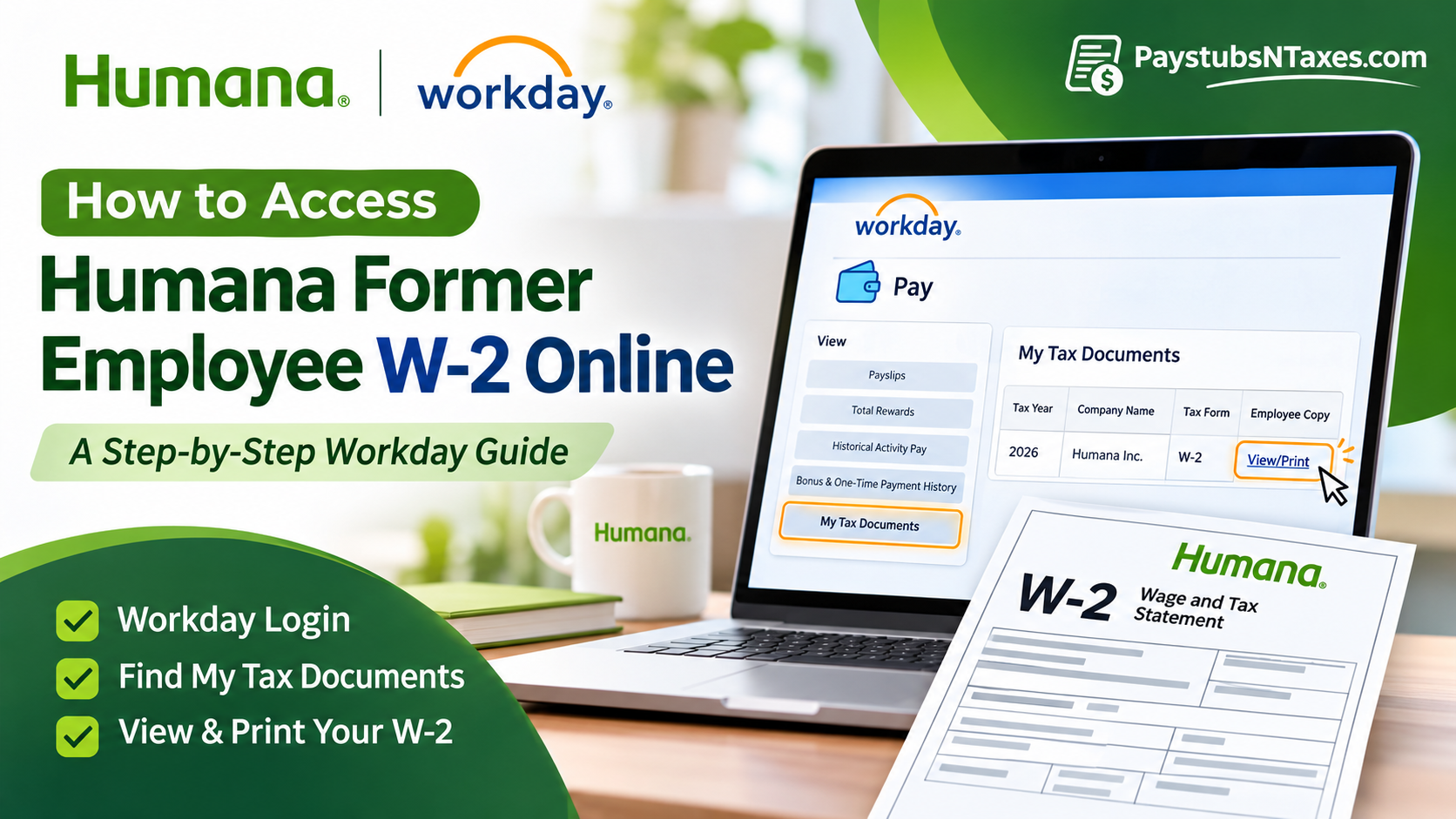
Former Humana and Conviva employees who received former associate access can download their W-2 from the Humana Workday website. Sign in with the credentials provided during offboarding, open Pay → My Tax Documents, and select View/Print under Employee Copy for the tax year you need. If you can’t sign in or the form is missing, call Humana HR4U at 1-888-431-4748. This comprehensive guide explains how to access your Humana former employee W-2 online, activate your post-employment Workday account, download or print your tax statements, and resolve common login difficulties. It also outlines alternative methods for obtaining your W-2 if your Workday access has expired.
Can Former Humana Employees Access Their W-2 Online?
Yes. Former Humana employees may access their W-2 forms online through Workday using the designated non-SSO login portal, provided their post-employment account remains active and the relevant tax documents have been released.
The Workday system allows eligible separated employees to retrieve previous pay statements and year-end tax information. Unlike active employees, who may authenticate through Humana’s corporate Single Sign-On environment, former employees generally need to use their designated Workday username and password.
These credentials are typically communicated to the personal email address maintained during the employee offboarding process. Once authenticated, former associates can navigate to the Pay section, locate their tax documents, and download the appropriate W-2 statement.
If online access is unavailable, Humana also provides year-end tax documents to former employees through postal mail using the home address recorded in their employment records. Consequently, keeping your personal contact information accurate is particularly important when leaving the organization.
Find your Workday credentials after leaving Humana.
Start with the personal email address you gave Humana or Conviva during offboarding. Look for instructions for Former Team Member access, which should explain which username to use and how to set up your password. If you received a temporary password, follow the instructions in that message to replace it with a new one. You’ll use that new password with your Humana Workday username when signing in after separation.
If you can’t find the message, search your inbox, spam, and junk folders for terms such as “Workday” and “temporary password.” If you used a different personal address while employed, check that inbox as well. Should the temporary password have expired, use Forgot Your Password? on the sign-in page. HR4U can help you determine what to do if you never received credentials or no longer have access to the email account you used during offboarding.
Sign in to Humana Workday without employee SSO
- Open the Humana Workday sign-in page for former employees in a web browser.
- Enter the Workday username identified in your offboarding instructions.
- Enter the password you created for former employee access, then select Sign In. If you’re still setting up access, follow the temporary password instructions first.
- Once Workday opens, locate the Pay worklet on the home page.
This sign-in page accepts your Workday username and password directly, outside Humana’s employee single sign-on (SSO). If you’re using a phone, open the page in your mobile browser. A desktop browser can make the form easier to preview, download, and print.
Download or print your W-2 from My Tax Documents
- Open the Pay worklet on your Workday home page.
- Under View, select My Tax Documents.
- Find the W-2 for the tax year you’re looking for.
- In the Employee Copy column, select View/Print.
- When the document opens, download the PDF or print a copy. Open the saved file to make sure it’s readable and shows the correct tax year.
The year on the W-2 is the year the wages were reported for, which may differ from the calendar year in which you download the form. If you worked for more than one employer that year, check the employer name shown on the form so you can distinguish your Humana or Conviva W-2 from the rest of your records.
Where to find your W-2 if Workday is still processing it
Workday may display “Your request is being processed” when you select View/Print. You can wait for the document to generate or select Notify Me Later. If you choose to be notified, open the Notifications icon within Workday and select the document link when it appears. Check Workday itself even if nothing arrives in your personal email inbox.
Former employee access is available for a limited period. Once your form becomes available, save a copy somewhere secure so you can retrieve it without signing in again. If you’re collecting multiple years of payroll records, use filenames that include the employer and year, such as Humana-W-2-2025.pdf.
What to do if your Humana W-2 is missing
If you can see the correct tax year but the document doesn’t open, check your Workday notifications if you previously requested the form. Also check your browser’s downloads folder, since the PDF may have saved without opening a preview. If you’re using a phone and still can’t view the form, try the same steps on a desktop browser.
If the tax year is missing entirely, give HR4U the exact year you need. Humana and Conviva moved payroll access from Paylocity to Workday, so if you’re looking for a form from before the transition, ask where payroll can retrieve it. The same approach applies if your former employee access has expired or you can sign in but the Pay worklet is unavailable.
Request a mailed or replacement W-2 through HR4U.
Humana and Conviva also send paper W-2s to former employees at the home address on file in Workday. If you moved after leaving and haven’t received the form, call HR4U to confirm which address payroll has on record. Ask how to update it and request a replacement if the original was already mailed.
When you call 1-888-431-4748, have your name as it appeared on payroll, the tax year you need, and your former employee ID if you have it. Tell the representative whether you need help signing in, locating an older form, updating your mailing address, or requesting another copy. If you already have the W-2 but believe a field is incorrect, identify that field so HR4U can direct the issue to payroll.
Conclusion
Accessing your Humana former employee W-2 online is generally a manageable process when you have the correct Workday credentials and your post-employment account remains active. By visiting the designated non-SSO Workday portal, signing in with your former-employee credentials, and navigating through Pay → My Tax Documents → Employee Copy → View/Print, you can retrieve your available annual tax statements without relying solely on traditional postal delivery. If Workday requires additional processing time, the Notify Me Later feature provides a convenient way to retrieve your document once it has been generated.
Nevertheless, because former-employee access may expire, downloading your W-2 as soon as it becomes available is advisable. If you cannot access your account, your tax statement is missing, or you require assistance obtaining a replacement document, contact Humana HR4U at 1-888-431-4748. Ultimately, maintaining accurate contact information, safeguarding your Workday credentials, and preserving copies of your tax documents will help ensure a smoother and more efficient tax-filing experience after leaving Humana.
Humana Former Employee W-2 FAQs
1. Where do former Humana employees log in to Workday?
Open the Humana Workday sign-in page for former employees in a web browser and enter the credentials provided during offboarding.
2. Can former Conviva employees get their W-2 through Humana Workday?
Yes. If you received former employee Workday access, sign in and open Pay → My Tax Documents to look for your W-2.
3. Can I use my old Humana single sign-on credentials?
Use the Workday username identified in your offboarding instructions and the password you set for former employee access. The former employee sign-in page accepts these credentials directly.
4. How do I use my temporary Workday password?
Follow the instructions Humana sent to your personal email to replace the temporary password. Then sign in with your Workday username and the new password.
5. What if I never received my Workday login email?
Check the spam and junk folders of the personal email account you provided during offboarding. If you still can’t find the message, call HR4U at 1-888-431-4748 for help.
6. How do I reset my Humana Workday password?
Select Forgot Your Password? on the Workday sign-in page and follow the prompts. If you no longer have access to the personal email account used during offboarding, contact HR4U.
7. Can I download my Humana W-2 on my phone?
Yes. Open the former employee sign-in page in your phone’s web browser, go to Pay → My Tax Documents, and select View/Print for the year you need.
8. How do I save or print my W-2 in Workday?
Select View/Print under Employee Copy. When the form opens, use the PDF viewer’s download or print option and check that the document shows the correct tax year.
9. What should I do if Workday says my W-2 request is being processed?
Wait for the document to generate or select Notify Me Later. If you choose that option, open Notifications inside Workday and select the download link when it appears.
10. What if my W-2 appears in Workday but won’t open?
Check your Workday notifications and browser downloads folder. If you’re on a phone and still can’t open the PDF, try View/Print from a desktop browser.
11. Can I get an older Humana or Conviva W-2 from before the Paylocity transition?
Check My Tax Documents in Workday for the year you need. If the form is missing, give HR4U the exact tax year and ask how to obtain a copy.
12. How long can I access Workday after leaving Humana?
Former employee access is available for a limited period. Save your W-2 as soon as it becomes available, and contact HR4U if your access has already expired.
13. Does Humana mail paper W-2s to former employees?
Humana and Conviva also mail paper W-2s to the home address on file in Workday. If you’re waiting for a copy, contact HR4U to confirm the mailing address.
14. How do I get a replacement W-2 if I moved after leaving Humana?
Call HR4U at 1-888-431-4748 to confirm or update your mailing address. If the original was already mailed, ask how to request a replacement for the tax year you need.
15. Who should I contact if my Humana W-2 has an error?
Call HR4U at 1-888-431-4748 and identify the tax year and the field you believe is incorrect. Have your former employee ID handy, if you have it.
