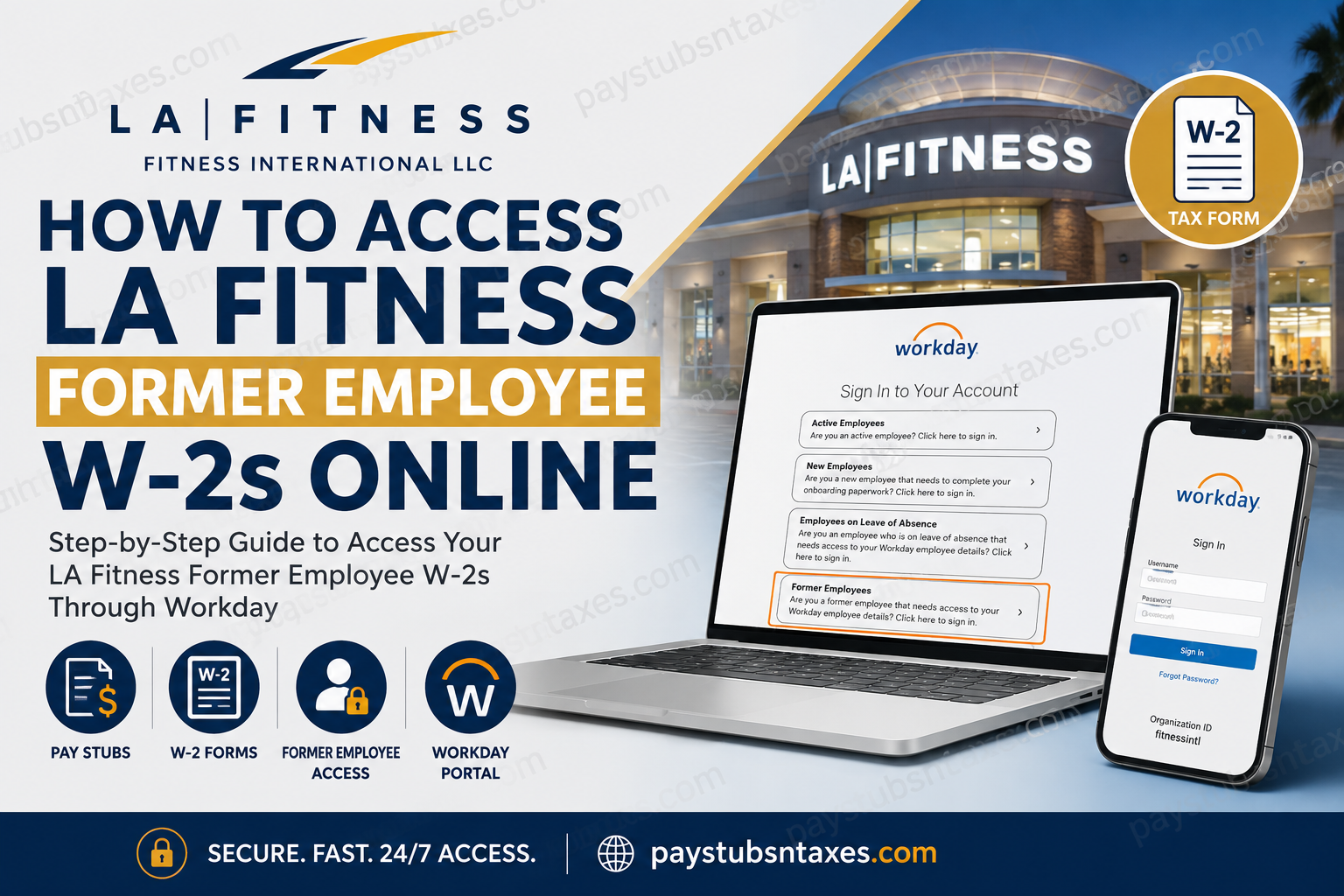
Former LA Fitness employees can access available W-2 forms and other employment-related tax documents through the Fitness International Workday portal. Although the 2026 W-2 may remain accessible through ADP for a limited period, Workday is now the primary system for retrieving LA Fitness payroll and tax records. Downloading any documents you need sooner rather than later is therefore a prudent course of action. This guide explains how to sign in as a former employee, find and print your LA Fitness W-2, reset your password, and resolve common access problems.
About LA Fitness and Fitness International LLC
LA Fitness is operated by Fitness International LLC, a privately held fitness company headquartered in Irvine, California. Founded in 1984, the business has grown to nearly 700 clubs across the United States and Canada and has operated brands including LA Fitness, City Sports Club, Club Studio Fitness, and the former Esporta Fitness brand.
For employees and former employees, payroll access is now increasingly centred on Workday, which provides a single place to manage employment records, pay information, and tax documents.
LA Fitness W-2 Portal for Former Employees
Use the official Fitness International Workday login page:
Access the Fitness International Workday portal
The landing page offers four sign-in options:
- Active Employees
- New Employees
- Employees on Leave of Absence
- Former Employees
If your employment with LA Fitness has ended, select Former Employees. Do not attempt to sign in through the Active Employees option, as former employees generally cannot use the company’s single sign-on system.
How to Access an LA Fitness Former Employee W-2
Follow these steps to retrieve your W-2 online:
- Open the Fitness International Workday portal using a secure internet connection.
- Select Former Employees.
- Enter your Workday username and password. Use the credentials provided during the offboarding process rather than your former SSO credentials.
- After signing in, open the Pay application from the Workday dashboard.
- Locate the View section. If all available options are not displayed, select More to expand the menu.
- Select My Tax Documents.
- Find the appropriate tax year and document type.
- Select View/Print beside the W-2 you wish to retrieve.
- Save a secure copy to your device or print the form for your records.
- Log out of Workday when finished, particularly if you are using a shared or public computer.
The My Tax Documents page may contain W-2 forms, corrected W-2C forms, and other payroll-related tax documents. If a W-2C is available, download both the original W-2 and every corrected form displaying a View/Print option. A W-2C does not replace the original document in isolation; together, the forms provide the complete corrected tax record.
Workday Login Credentials for Former LA Fitness Employees
Former employees should use their dedicated Workday username and password. These are distinct from the SSO credentials used while actively employed.
Your Workday account information may have been sent to the personal email address on file during the offboarding process. Search your inbox and spam folder for messages from Workday or Fitness International before attempting multiple password resets.
Because Workday Mobile is generally configured for active employees, former employees may find that the web portal is the more dependable route. The portal can be opened from any computer, tablet, or smartphone with internet access.
How to Reset Your LA Fitness Workday Password
If you cannot remember your password, you may be able to reset it through the login page:
- Return to the Fitness International Workday portal.
- Select New Employees on the left side of the page.
- Select Forgot Password beneath the Sign In button.
- Enter your Workday username. This may be a number previously sent to the email address submitted with your employment application.
- Enter the same personal email address associated with your application or employee record.
- Select Submit.
- Check your inbox and spam folder for the password-reset message.
- Open the link and create a new password.
The username and email address must match the information held in Workday. Even a minor discrepancy—such as using a different personal email account—may prevent the reset request from succeeding.
Important login limits
Keep the following restrictions in mind:
- Workday permits up to five unsuccessful sign-in attempts before temporarily locking the account.
- The lockout period is approximately 30 minutes.
- The password-reset process may be attempted up to three times.
- If three reset attempts fail, contact Human Resources instead of continuing to retry.
A measured approach is best. Repeatedly testing possible passwords can turn a straightforward credential problem into a temporary account lockout.
How to Access an LA Fitness W-2 Through ADP
LA Fitness has transitioned from ADP to Workday, but the 2026 W-2 may still be available through ADP. Former employees who already have an ADP account can sign in at my.adp.com and download any available tax forms.
If registration is still permitted, the process may include the following steps:
- Visit my.adp.com.
- Select Get Started.
- Choose I Have a Registration Code.
- Enter the registration code lafitness-w2.
- Complete the identity-verification questions.
- Follow the prompts to verify your mobile number.
- Create a user ID and password.
- Sign in and open the tax-document area.
- Complete any required security checkpoint.
- Download the available W-2 forms.
During registration, ADP may request a ZIP code associated with the employer rather than your home address. Follow the wording of each prompt carefully.
ADP may also ask you to consent to paperless delivery before displaying an electronic W-2. Review that choice closely: agreeing to paperless delivery can affect whether tax forms are mailed to you.
Because historical access can change after a payroll-system migration, save copies of every document you may need. Workday should be treated as the principal route for future LA Fitness tax documents.
Will LA Fitness Mail a W-2 to a Former Employee?
Fitness International generally mails W-2 forms to the home address on record by January 31 of the following year, unless the employee has elected electronic-only or paperless delivery.
Former employees should ensure their mailing address is accurate. If you moved after leaving LA Fitness, contact Human Resources as early as possible. Mail forwarding can help, but it is no substitute for correcting the address associated with your payroll record.
What to Do If Your LA Fitness W-2 Is Missing
If the expected W-2 does not appear in Workday, work through these checks:
- Confirm that you selected Former Employees at the initial login screen.
- Verify that you are using your Workday credentials rather than your former SSO login.
- Open Pay, expand the View menu by selecting More, and choose My Tax Documents.
- Check whether the document remains available through ADP.
- Confirm that you are viewing the correct tax year.
- Look for a separate W-2C if an earlier W-2 was corrected.
- Check the postal address associated with your former employee record.
- Contact LA Fitness Human Resources if the form remains unavailable.
Contact LA Fitness Human Resources
For assistance with former-employee Workday access, payroll records, W-2 forms, benefits, employment verification, or related matters, contact the LA Fitness Human Resources department:
LA Fitness Human Resources phone number: 909-392-1063
Before calling, gather the information needed to locate your employee record, such as:
- Your full legal name
- Former employee or Workday ID, if available
- The LA Fitness location where you worked
- Your dates of employment
- The final four digits of your Social Security number, if requested through an appropriate verification process
- The tax year of the missing W-2
- Your current mailing address
- The personal email address associated with your Workday account
Never send a full Social Security number, password, or complete tax document through unsecured email.
Final Takeaway
To obtain an LA Fitness former employee W-2, begin with the Fitness International Workday portal, select Former Employees, and sign in using the credentials issued for your Workday account. From the dashboard, navigate to Pay, expand the View options, open My Tax Documents, and select View/Print. If your 2026 W-2 remains available through ADP, download a backup copy while access continues. Keep every W-2 and W-2C in a secure location, log out after each session, and contact LA Fitness Human Resources at 909-392-1063 if account or document issues cannot be resolved online.
Frequently Asked Questions About LA Fitness Former Employee W-2s
1. How do I access my LA Fitness W-2 after leaving the company?
Visit the Fitness International Workday portal and select Former Employees. Sign in with your Workday username and password, then go to Pay → More → My Tax Documents → View/Print.
2. What is the LA Fitness Workday login link?
The Fitness International Workday login page is: https://wd503.myworkday.com/fitnessintl/login.flex
Former employees should select the Former Employees option.
3. Which Workday sign-in option should a former LA Fitness employee choose?
Select Former Employees. The other options are intended for active employees, new hires, or employees on leave.
4. Where can I find my W-2 in LA Fitness Workday?
After signing in, open Pay, select More in the View section, and choose My Tax Documents. Select View/Print beside the appropriate W-2.
5. Can I use my old LA Fitness SSO credentials?
No. Former employees should use their dedicated Workday username and password rather than the SSO credentials they used while actively employed.
6. What is the Workday organization ID for LA Fitness?
The Workday organization ID for Fitness International is fitnessintl. The mobile application may request this code during setup.
7. Can former LA Fitness employees use the Workday mobile app?
Mobile access may be limited for former employees. The browser-based former-employee portal is generally the most reliable way to retrieve W-2s and other employment records.
8. Can I still access my LA Fitness W-2 through ADP?
The 2026 W-2 may remain available through ADP for a limited time. Sign in at my.adp.com and download any available documents before access changes.
9. What is the LA Fitness ADP registration code?
The ADP registration code provided for LA Fitness W-2 access is lafitness-w2. Select Get Started, choose I Have a Registration Code, and enter the code when prompted.
10. How do I reset my LA Fitness Workday password?
On the Workday login page, select New Employees, choose Forgot Password, and enter your Workday username and the personal email address associated with your application. Follow the reset link sent by email.
11. Why is my LA Fitness Workday password reset failing?
The reset may fail if your username or email address does not exactly match the information in Workday. Use the personal email submitted with your employment application and check your inbox and spam folder for earlier Workday messages.
12. What happens if my LA Fitness Workday account becomes locked?
Workday may lock the account after five unsuccessful sign-in attempts. The lockout generally lasts about 30 minutes. Wait until that period has elapsed before trying again.
13. What should I do if my W-2 is not showing in Workday?
Confirm that you selected Former Employees, used the correct Workday credentials, and opened the appropriate tax year under My Tax Documents. You should also check ADP and contact LA Fitness Human Resources if the form remains unavailable.
14. Will LA Fitness mail my W-2?
LA Fitness generally mails W-2 forms to the home address on file by January 31 of the following year unless the employee has elected paperless delivery. Contact Human Resources if your address has changed or the form does not arrive.
15. How do I contact LA Fitness Human Resources about a missing W-2?
Call the LA Fitness Human Resources department at 909-392-1063 for assistance with missing W-2s, Workday access, payroll records, or former-employee account problems. Have your employment details and the relevant tax year ready before calling.
